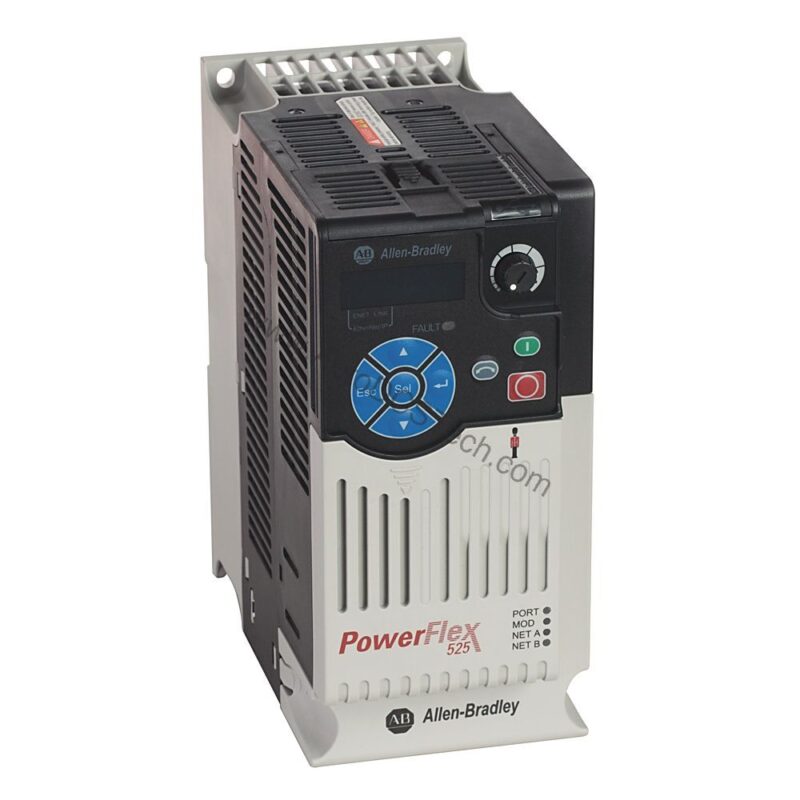
PowerFlex 525 Drive Overview
The Allen-Bradley 25B-B017N104 is a PowerFlex 525 Variable Frequency Drive (VFD) designed for precise motor control in industrial applications. As part of the PowerFlex 40P family, this drive delivers reliable performance for both normal and heavy duty operations. With a robust 17.5 A output current and support for 4.0kW (5.0 HP) motors, it suits a wide range of machinery, from conveyors to pumps. Its modular design simplifies installation and reduces downtime, making it a cost-effective choice for facilities aiming to optimize energy consumption and operational efficiency.
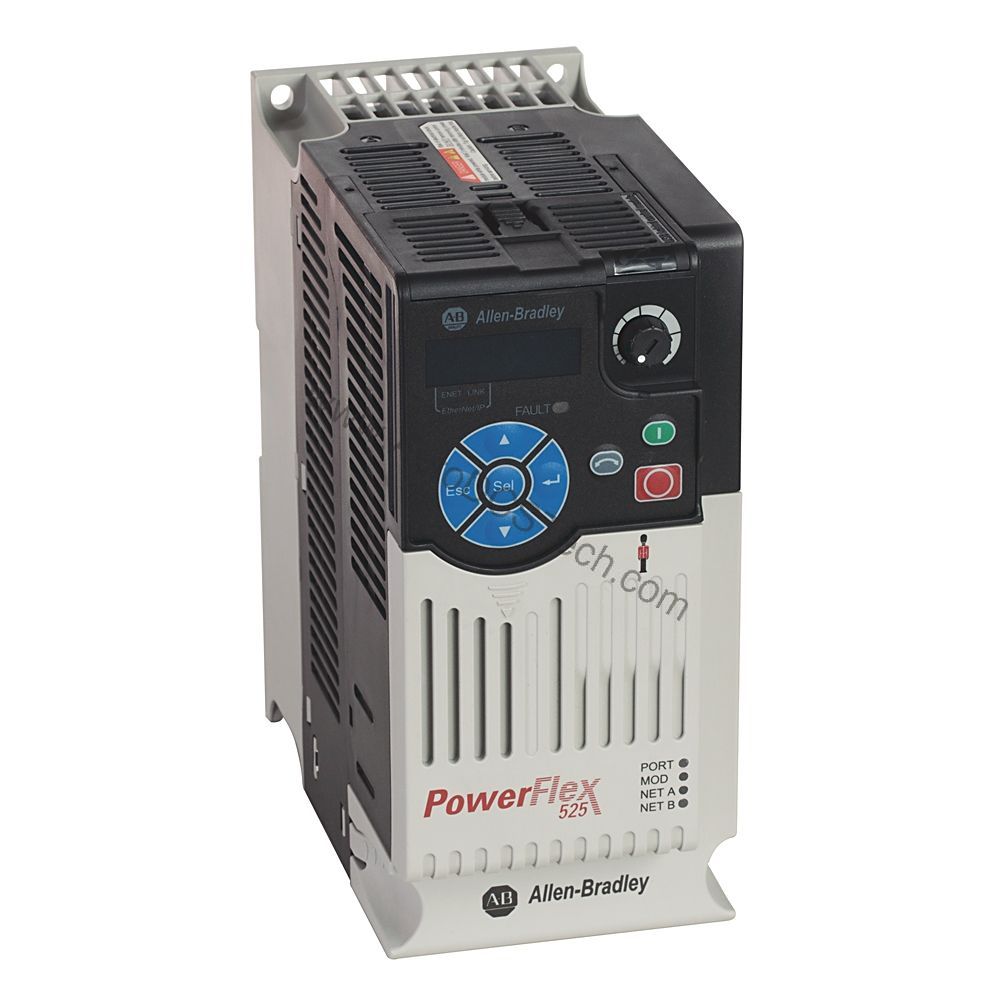
Technical Specifications Breakdown
Key parameters for the 25B-B017N104 are listed below for quick reference:
| Feature | Specification |
|---|---|
| Manufacturer | Rockwell Automation / Allen-Bradley |
| Product Family | PowerFlex 40P |
| Input Voltage | 170-264 VAC |
| Input Phase | 3-Phase |
| Input Current | 21.1 A |
| Output Voltage | 0-240VAC |
| Output Power | 4.0kW (5.0 HP) |
| Installation | Panel Mount / DIN Rail |
| Enclosure Rating | IP20 / NEMA UL Type Open |
| Built-in Communication Port | Ethernet I/P |
| Optional Communication Protocols | Dual Ethernet I/P; DeviceNet; ProfiBus DP |
Industry Applications
For instance, in HVAC systems, the drive adjusts fan and pump speeds to match demand, cutting electricity costs by up to 30% compared to constant-speed operation. In material handling, the 25B-B017N104 provides smooth acceleration and deceleration, reducing mechanical stress and extending equipment life. Its 3-phase input and 0-240VAC output make it versatile for retrofitting existing motor systems, offering a fast return on investment through reduced maintenance and energy consumption.
Installation & Setup Guidance
Mount the drive vertically on a flat panel or DIN rail, ensuring adequate clearance for airflow. The IP20 / NEMA UL Type Open enclosure requires installation inside a suitable cabinet to prevent dust ingress. Connect the 3-phase input (170-264 VAC) to the designated terminals, and wire the motor to the output (0-240VAC). Use the built-in Ethernet I/P port for straightforward network integration. For redundant network topologies, install a dual Ethernet I/P adapter. Optional DeviceNet and ProfiBus DP adapters allow connection to legacy systems without altering the drive's footprint. Always follow the manual's torque specifications for terminal connections.
Maintenance & Reliability
Regularly inspect the drive for dust accumulation on heatsinks and fans, as overheating reduces efficiency and lifespan. Check all power and control wiring for signs of wear or loose connections. The drive's economizer motor control feature optimizes energy use, but periodic parameter review ensures settings match current load requirements. Because the unit has no integral EMC filter, consider installing an external filter to minimize electromagnetic interference in sensitive environments. Following a preventive maintenance schedule—quarterly visual checks and annual thermal imaging—can prevent unplanned downtime and lower total cost of ownership.
Compatibility & Integration
This allows real-time monitoring and control from a PLC or SCADA system, reducing wiring and commissioning time. For fault-tolerant applications, add a dual Ethernet I/P adapter for redundancy. The drive also supports DeviceNet and ProfiBus DP through optional adapters, ensuring compatibility with existing fieldbus infrastructures. This flexibility means you can standardize on one drive model across multiple plant areas, simplifying spare parts inventory and training.
Selection Guide & Purchasing Advice
When selecting a VFD, verify that the motor's full-load current does not exceed the drive's 17.5 A output rating. For heavy duty cycles, confirm the 4.0kW (5.0 HP) rating meets your torque requirements. Consider the enclosure rating: IP20 is suitable for clean, dry indoor environments. If your facility uses multiple communication protocols, the optional adapters provide future-proofing. AutoDCSTech offers genuine Allen-Bradley drives and expert support to help you choose the right configuration. Contact us for current availability and lifecycle status before ordering.
Troubleshooting & Common Issues
If the drive fails to start, check the input voltage (170-264 VAC) and phase sequence. An overcurrent fault may indicate a motor short or excessive load—verify motor wiring and mechanical freedom. Communication errors often stem from incorrect IP settings on the Ethernet I/P port; confirm the drive's IP address matches your network subnet. If the drive trips on overtemperature, clean the cooling fan and ensure ambient temperature stays within the rated range. Always consult the user manual for fault codes and safe reset procedures. For persistent issues, contact AutoDCSTech's technical team for guidance.
Availability & Condition at AutoDCSTech
| Part Number | 25B-B017N104 |
|---|---|
| Availability | In Stock |
| Condition | New |
| Warranty | One Year |
| Origin | US |