Technical Specifications Breakdown
Key parameters for the 2711P-B12C4D8 are listed below for quick reference:
| Feature | Specification |
|---|---|
| Product Family | PanelView Plus 1250 Standard Terminals |
| Product Type | Operator Terminals |
| Operator Input | Keypad / Touch |
| Display Type | Color active matrix, thin-film transistor (TFT) |
| Display Area | 246 x 184 mm (9.7 x 7.2 in.) |
| Resolution | 800 x 600, 18-bit color graphics |
| Keypad | 1 million presses |
| Touchscreen | 8-wire Analog Resistive Touchscreen |
| Operating Force | 10-110 g |
| Internal Memory | 512 MB RAM, 512 MB nonvolatile memory (approx. 79 MB free user memory) |
| Integrated Ports | Ethernet, RS-232, 2 USB host |
| Input Voltage Range | 18-32VDC |
Real-World Applications for the PanelView Plus 6
For example, in a packaging line, the 2711P-B12C4D8 can display real-time production data and allow operators to adjust parameters via the keypad or touchscreen. In a water treatment facility, the Ethernet port enables seamless integration with ControlLogix controllers, providing remote monitoring capabilities. The RS-232 port supports legacy devices like SLC 500, ensuring compatibility across mixed-vintage installations.
Installation and Setup Guidance
When installing the 2711P-B12C4D8, ensure the input voltage is within the 18-32VDC range. Use a regulated DC power supply to avoid fluctuations that could damage the terminal. Mount the unit in a panel with adequate clearance for ventilation. Connect the Ethernet cable to the RJ45 port for network communication; the port supports MDI/MDI-X, so crossover cables are not needed. For RS-232 connections, use a standard serial cable with the appropriate pinout. The two USB host ports allow you to connect peripherals like a mouse or keyboard for easier configuration.
Maintenance and Reliability
The PanelView Plus 6 is designed for long-term reliability. The LED backlight has a rated life of 50,000 hours, minimizing maintenance frequency. To ensure consistent performance, inspect the terminal periodically for dust accumulation on the screen and vents. Clean the touchscreen with a soft, dry cloth. Avoid using harsh solvents that can damage the resistive layer. Check the keypad for wear, especially in high-use environments; the keypad is rated for 1 million presses, but heavy use may require earlier replacement.
Why the 2711P-B12C4D8 Is a Smart Choice for Your HMI Needs
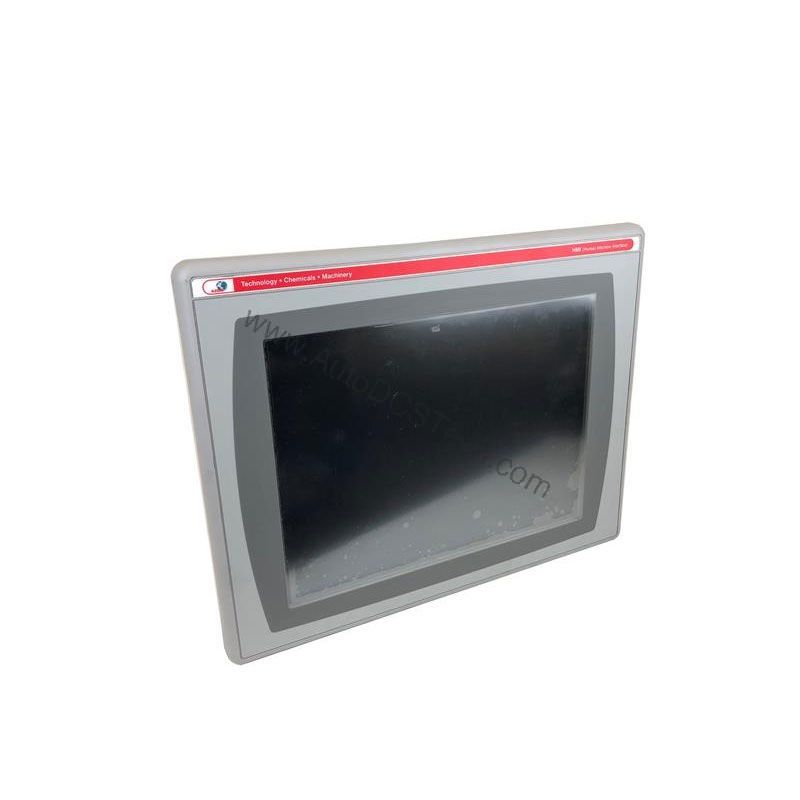
This control terminal lets operators interact with machines through both a keypad and a touchscreen, making it versatile for various applications. With a 12.1-inch color active matrix TFT display, you get clear visuals for monitoring and control.
Compatibility and Integration
The 2711P-B12C4D8 integrates easily with Rockwell Automation controllers. It supports EtherNet/IP, an open industrial network that allows real-time I/O messaging and data exchange. You can connect to PLC-5, SLC 500, MicroLogix, CompactLogix, and ControlLogix controllers. The Ethernet port also supports application transfers and printing, simplifying system updates. If you need an additional Ethernet port, the 2711P-RN20 module (for 700 to 1500 terminals) provides a second connection with its own IP address.
Selection Guide and Purchasing Advice
When selecting an operator terminal, consider your application's environmental conditions and communication requirements. The 2711P-B12C4D8 is an active product, but always verify current lifecycle status and availability with AutoDCSTech before ordering. AutoDCSTech offers genuine Allen-Bradley parts with competitive pricing and fast shipping. Contact our team to confirm stock and lead times for your project.
Troubleshooting Common Issues
If the display remains blank, check the input power supply to ensure it is within 18-32VDC. Verify that the backlight is functioning; if not, the backlight may need replacement. If the touchscreen is unresponsive, recalibrate it via the configuration menu. For communication errors, confirm the Ethernet cable is properly seated and the IP address is correctly configured. If the keypad fails to respond, check for debris under the keys and clean carefully. For persistent issues, consult the user manual or contact AutoDCSTech for technical support.
Availability & Condition at AutoDCSTech
| Part Number | 2711P-B12C4D8 |
|---|---|
| Availability | In Stock |
| Condition | New |
| Warranty | One Year |
| Origin | US |