Technical Specifications Breakdown
Key parameters for the 2711P-B12C4A9 are listed below for quick reference:
| Feature | Specification |
|---|---|
| Display Size | 12.1 in. |
| Display Type | Color Touchscreen with Keypad |
| Input Power | 100-240 VAC |
| Memory | 512 MB RAM |
| Communication | Ethernet and RS-232 |
| Backlight Replacement Part | 2711P-RL12C2 |
| Communication Cable | 2711-NC14 |
| Shipping Weight | 10 lbs. |
| Shipping Dimensions | 20 x 14 x 8 in |
Industry Applications That Benefit from This HMI
Common uses include:
- Machine Control: In packaging, material handling, or CNC machinery, the touchscreen and keypad allow quick parameter changes and status viewing.
- Process Monitoring: For chemical, food and beverage, or pharmaceutical lines, the Ethernet port connects to controllers on an EtherNet/IP network, enabling data exchange and recipe management.
- Remote Access: The RS-232 port supports serial communication for legacy devices, while Ethernet enables remote diagnostics and application transfers.
Because the terminal supports both keypad and touch input, it suits environments where gloves or debris make touch-only screens impractical.
Installation and Setup Guidance
When installing the 2711P-B12C4A9, mount it in a panel with adequate clearance for ventilation and cable routing. Connect the power supply to a 100-240 VAC source, ensuring proper grounding and protection. For network communication, use an RJ45 cable with a 10/100Base-T connector; the port supports MDI/MDI-X connections, so straight or crossover cables work. The Ethernet port can be used for EtherNet/IP messaging, application transfers, and printing. If you need an additional Ethernet port, the 2711P-RN20 module is available for 700 to 1500 terminals, and it has its own IP address.
For RS-232 communication, use the 2711-NC14 communication cable. Configure the communication settings via the terminal's built-in screens, and download parameters with your application.
Maintenance and Reliability Tips
To ensure long service life, keep the display clean and free from abrasive cleaners. Inspect the backlight periodically; if it dims, replace it with the 2711P-RL12C2 backlight. Check all cable connections for wear and secure seating. Because the terminal is not rated for hazardous areas, install it in a clean, dry enclosure. Regularly back up your application files to prevent data loss.
Why the 2711P-B12C4A9 Is a Smart Investment for Your Control System
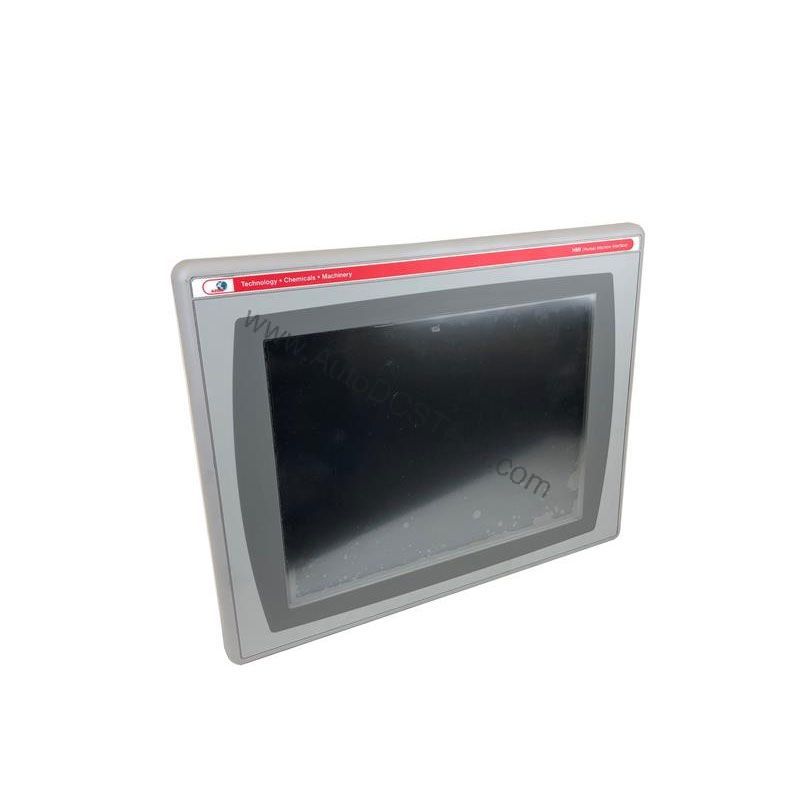
This HMI terminal combines a 12.1-inch color display with both keypad and touchscreen input, giving operators flexible control over machinery and processes. With 512 MB of RAM and 512 MB of non-volatile memory (including 79 MB of free user memory), it offers ample space for applications, recipes, and data logging.
Compatibility and Integration
The Ethernet port supports real-time I/O messaging and message exchange, making it easy to connect to ControlLogix, CompactLogix, or MicroLogix platforms. The RS-232 port allows connection to older controllers or serial devices. The terminal is part of the PanelView Plus 6 series, ensuring compatibility with FactoryTalk View Studio software for application development.
Selection Guide and Purchasing Advice
When selecting an HMI, consider your display size, input method, and communication needs. The 2711P-B12C4A9 offers a balanced feature set for most applications. At AutoDCSTech, we stock this model and provide expert support to help you find the right part. Contact us to verify availability and lifecycle status before ordering.
Troubleshooting Common Issues
If the terminal fails to power up, check the input power supply and fuses. If the display is blank but the unit is powered, the backlight may need replacement. For network issues, verify IP settings and cable connections. If the touchscreen is unresponsive, recalibrate it via the configuration menu. For persistent problems, consult the user manual or contact AutoDCSTech for technical assistance.
Availability & Condition at AutoDCSTech
| Part Number | 2711P-B12C4A9 |
|---|---|
| Availability | In Stock |
| Condition | New |
| Warranty | One Year |
| Origin | US |