Technical Specifications Breakdown
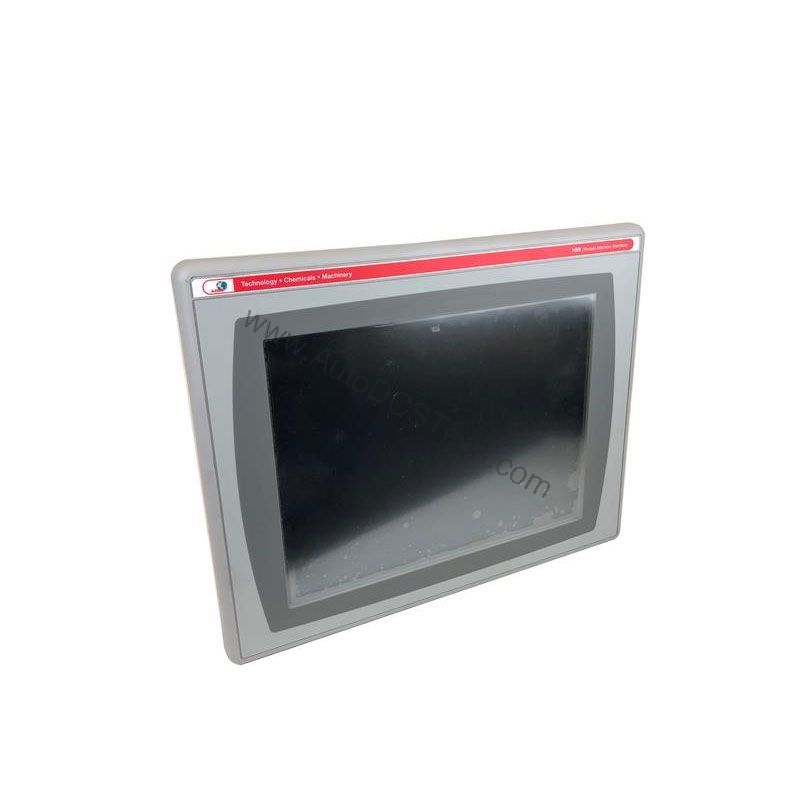
Key parameters for the 2711P-B7C4A8 are listed below for quick reference:
| Feature | Specification |
|---|---|
| Manufacturer | Rockwell Automation |
| Product Family | PanelView Plus 6 Operato Terminals |
| Product Type | PanelView Plus 6 700 Operato Terminals |
| Operator Input | Keypad / Touch |
| Display Type | Color active matrix, thin-film transistor (TFT) with liquid crystal display (LCD) |
| Display Area | 211 x 158 mm (8.3 x 6.2 in.) |
| Resolution | 640 x 480, 18-bit color graphics |
| Keypad | 1 million presses |
| Keypad Function Keys | F1-F10 function keys (F1…F10), Numeric input, navigation |
| Touch | Analog Resistive |
| Internal Memory | 512MB Flash Memory / 512 MB Random Access Memory |
| Integrated Ports | Ethernet, DH+, RS-232, Two (2) USB |
| Input Voltage Range | 100-240VAC |
| Input Frequency | 50-60 Hz |
Industry Applications
The 2711P-B7C4A8 is well-suited for applications where operators need to monitor and control processes in real time. The Ethernet port enables easy connection to EtherNet/IP networks, allowing data exchange with PLCs and other controllers. With RS-232 and DH+ ports, it can also integrate with legacy systems, making it a practical choice for upgrades or replacements in existing plants.
Installation & Setup Guidance
When installing this operator terminal, ensure the AC power supply is within the 100-240VAC range and 50-60 Hz frequency. Mount the unit in a location that provides adequate ventilation and protection from excessive vibration or moisture. Use the integrated Ethernet and RS-232 ports for communication, and connect the two USB ports for external devices like memory sticks or keyboards. For network communication, use a standard RJ45, 10/100Base-T connector with MDI/MDI-X support. Always follow the manufacturer's guidelines for wiring and grounding to avoid electrical noise issues.
Maintenance & Reliability
To ensure long-term reliability, periodically inspect the terminal for dust accumulation on the screen and enclosure. Clean the display with a soft, dry cloth to maintain touch sensitivity. The keypad and touchscreen are rated for 1 million presses, but regular use may require eventual replacement. Since this is an end-of-life product, consider stocking spare units or planning for migration to a newer PanelView Plus 7 model to minimize downtime.
Compatibility & Integration
Its Ethernet port supports EtherNet/IP, allowing direct connection to ControlLogix, CompactLogix, and other controllers. The RS-232 port is useful for connecting to bar code scanners, printers, or legacy devices. The DH+ port enables communication with older PLC-5 and SLC 500 systems. With two USB ports, you can easily transfer recipes, logs, or firmware updates. This flexibility makes it a strong candidate for bridging older and newer automation architectures.
Selection Guide & Purchasing Advice
Given its end-of-life status, availability may be limited. AutoDCSTech specializes in sourcing hard-to-find industrial automation parts, including the 2711P-B7C4A8. Before ordering, verify current lifecycle status and availability with our team. We can also advise on suitable replacements if you prefer a newer model. Our goal is to help you maintain uptime and optimize your automation investment.
Troubleshooting & Common Issues
If the display remains blank, check the AC power supply and connections. Ensure the input voltage is within the specified range. If communication fails, verify the Ethernet cable and IP settings. For RS-232 issues, confirm baud rate and wiring. If the touchscreen becomes unresponsive, recalibrate it through the configuration menu. For persistent problems, consult the Rockwell Automation manual or contact AutoDCSTech for technical support.
Availability & Condition at AutoDCSTech
| Part Number | 2711P-B7C4A8 |
|---|---|
| Availability | In Stock |
| Condition | New |
| Warranty | One Year |
| Origin | US |