Technical Specifications Breakdown
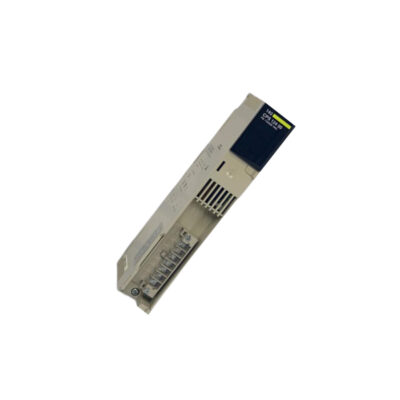
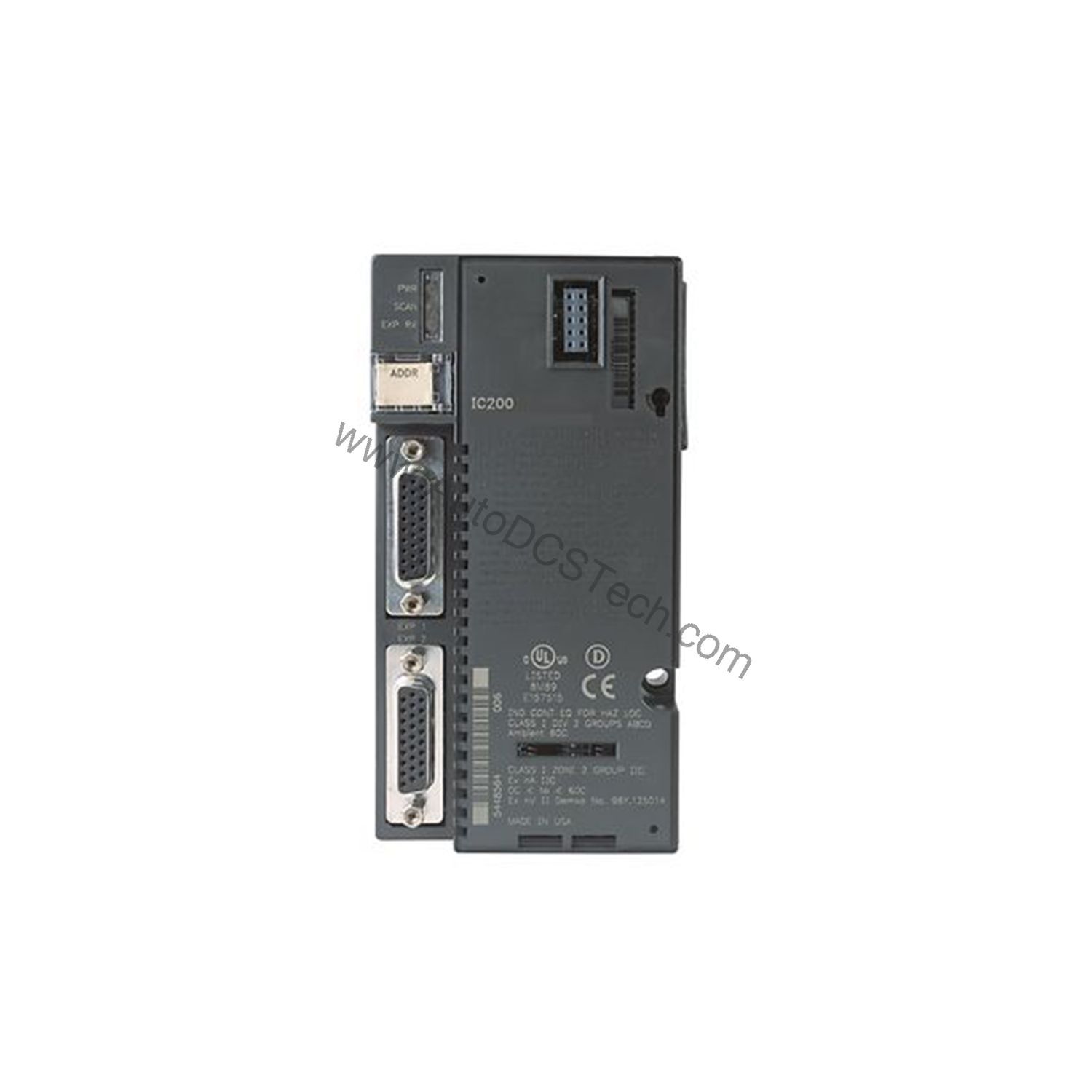
Key parameters for the IC200PNS001 are listed below for quick reference:
| Feature | Specification |
|---|---|
| Product Type | Remote I/O PROFINET Network Interface Unit |
| Supported Protocol | PROFINET Version 2.2 Class A IO-Device |
| Power Consumption | 0.60 Amperes at 5 Volts DC |
| Number of Ports | Two (2) RJ45 ports |
| Transmission Rate | 10/100 mbps |
| I/O Discrete Points | 2880 bytes total; 1440 bytes input / 1440 bytes output |
| I/O Analog Words | 2880 bytes total; 1440 bytes input / 1440 bytes output |
| I/O Data Update Rate | Configurable: 1ms, 2ms, 4ms, 8ms, 16ms, 32ms, 64ms, 128ms, 256ms, 512ms |
| Maximum Cable Distance | 100 meters per segment |
| Operating Temperature | 0 to 60 degrees Celsius (surrounding air, no fan) |
| Mounting | DIN Rail |
| Module Dimensions | Height: 132mm (5.2 inches), Width: 134mm (5.28 inches) |
| Compatible Controllers | Series 90-70; PACSystem RX7i; PACSystem RX3i |
Industry Applications
High-Speed Production Lines
In automotive or packaging lines, the IC200PNS001 supports fast I/O updates (as low as 1ms) to synchronize sensors and actuators, reducing downtime from communication delays. Its ring topology capability provides redundant paths, ensuring continuous operation even if a cable fails.
Distributed Control in Process Plants
For chemical or water treatment facilities, this module handles up to 2880 bytes of analog I/O, enabling precise monitoring of temperature, pressure, and flow. The PROFINET slave protocol integrates easily with existing PACSystem RX3i or RX7i controllers, simplifying system expansion.
Cost-Effective Remote I/O Nodes
By supporting up to eight VersaMax I/O modules per node, the IC200PNS001 reduces the number of network interfaces needed, lowering hardware and installation costs. The 100-meter cable segments allow flexible placement of I/O near field devices.
Installation & Setup Guidance
Mount the IC200PNS001 on a DIN rail in a clean, dry enclosure. Connect the two RJ45 ports using shielded Ethernet cables (CAT5e or better) for reliable 10/100 Mbps communication. Configure the module using Proficy Machine Edition version 7.0 or later. Set the I/O update rate (1ms to 512ms) based on your application's timing requirements. Ensure the module is connected to a 5 VDC backplane supply capable of delivering 0.60 Amperes. For ring topology, enable the redundant mode in the PROFINET controller settings.
Maintenance & Reliability
Inspect the module periodically for dust accumulation on the RJ45 ports and ensure ambient temperature stays between 0 and 60 degrees Celsius. The module is RoHS compliant and designed for fanless operation. No internal user-serviceable parts; contact AutoDCSTech for replacement if faults occur.
Optimizing Distributed I/O with the GE IC200PNS001 PROFINET Network Interface Unit
In modern industrial automation, managing remote I/O efficiently is critical for reducing wiring costs and improving system flexibility. The GE IC200PNS001, part of the VersaMax series (formerly GE Intelligent Platforms, now Emerson Automation), addresses this need as a PROFINET network interface unit. It enables seamless integration of distributed I/O nodes into a PROFINET network, supporting up to 2880 bytes of discrete I/O data and 2880 bytes of analog I/O data. With configurable update rates from 1ms to 512ms, this module delivers deterministic performance for time-sensitive applications.
Compatibility & Integration
The IC200PNS001 works with Series 90-70, PACSystem RX7i, and PACSystem RX3i controllers. It supports linear, star, and ring topologies. The embedded switch in the two RJ45 ports allows daisy-chaining without an external switch, simplifying wiring. The module uses a single IP address for all connected I/O modules.
Selection Guide & Purchasing Advice
When selecting the IC200PNS001, verify your controller firmware supports PROFINET slave Version 2.2 Class A. For new installations, consider the total I/O count (up to 2880 bytes discrete and analog) and the number of modules (up to eight). AutoDCSTech stocks this unit and can advise on lifecycle status. Please verify current availability before ordering.
Troubleshooting & Common Issues
If communication fails, check the Ethernet cable distance (max 100 meters per segment) and verify the IP address configuration. Use the 32 input status bits and 32 output control bits for diagnostics. If the module does not power up, measure the 5 VDC backplane current (0.60 Amperes required). For persistent issues, contact AutoDCSTech support.
Availability & Condition at AutoDCSTech
| Part Number | IC200PNS001 |
|---|---|
| Availability | In Stock |
| Condition | New |
| Warranty | One Year |
| Origin | US |
Datasheet & Downloads
Specification sheet for IC200PNS001. For lead time, condition and price, contact our team.