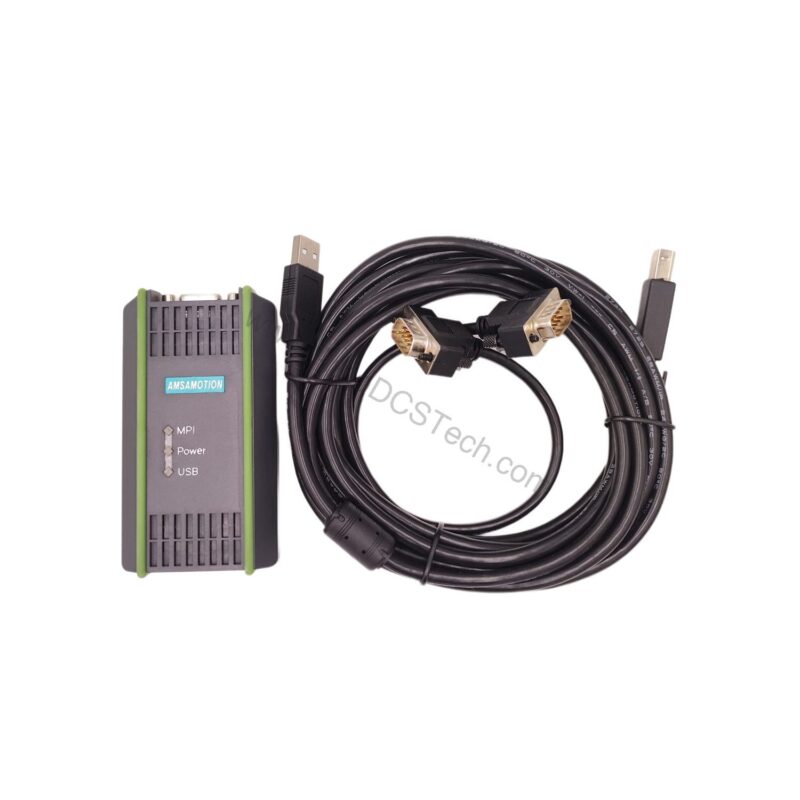
Introduction to the Siemens 6ES7972-0CB20-0XA0
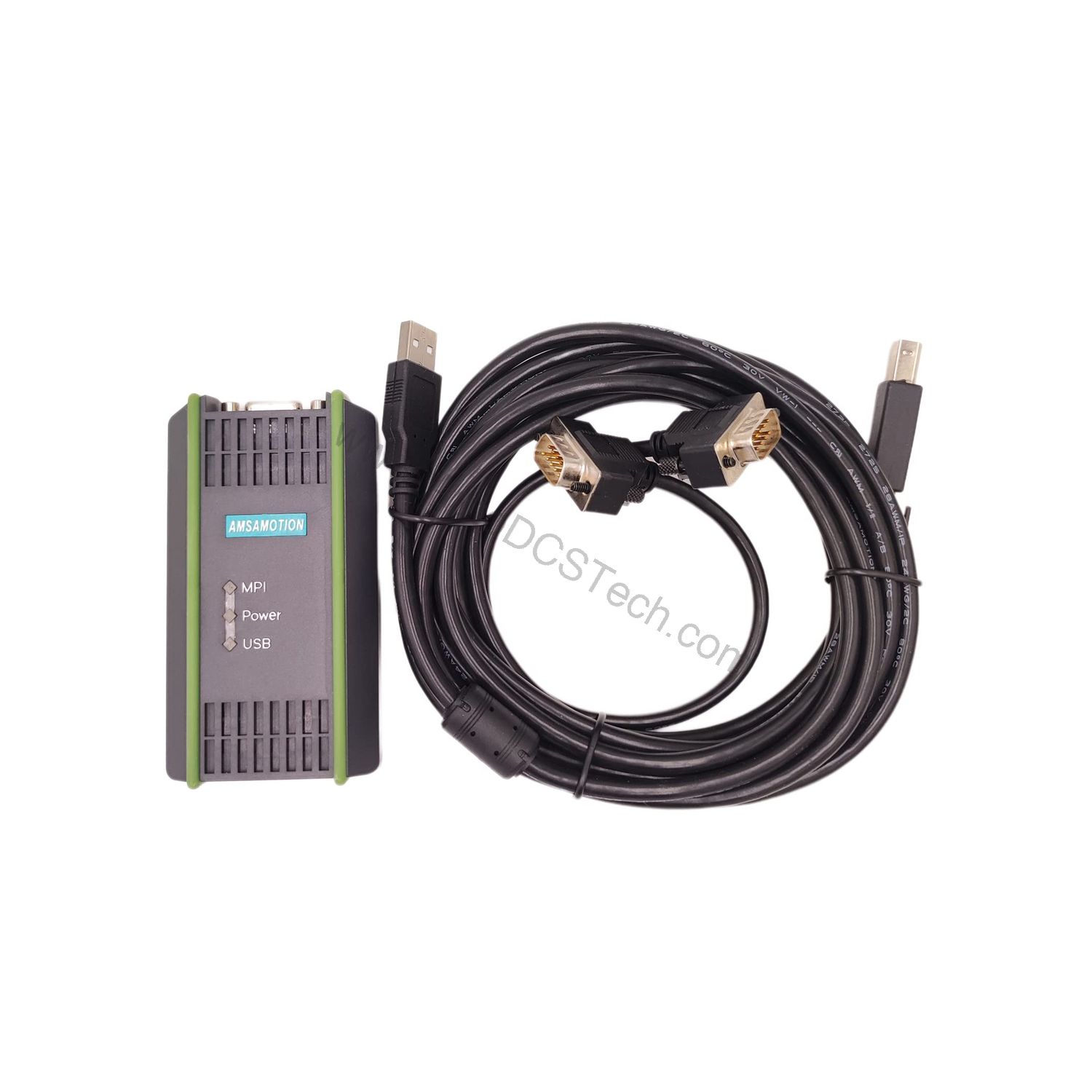
When field engineers need a reliable link between a modern PC and a SIMATIC S7 controller, the 6ES7972-0CB20-0XA0 from Siemens provides a compact and robust solution. This USB PC adapter is designed specifically for use with the SIMATIC S7 series, enabling direct programming, diagnostics, and data exchange through a standard USB port.
With dimensions of approximately 105 x 58 x 26 mm and a weight of about 250 g, the adapter is lightweight and easy to handle in control cabinets or on-site. Its RS485 interface supports communication speeds up to 1.5 Mbps, while the USB side operates at 12 Mbps, ensuring fast and stable data transfer.
Key Features and Technical Specifications
The 6ES7972-0CB20-0XA0 is engineered for dependable performance in industrial environments. Below are the core specifications extracted from the manufacturer's data:
- Interfaces: RS485 (max. 1.5 Mbps) to S7/M7/C7; USB (12 Mbps) to PC.
- Power Supply: 24 V DC (SELV) via MPI interface, operating range 18–30 V DC.
- Current Consumption: Typically 50 mA, maximum 100 mA.
- Active Power Input: Maximum 2.5 W.
- Inrush Current: Max. 700 mA for 8 µs.
- Safety Class: III per IEC 60950.
- Degree of Protection: IP 20.
- EMC Compliance: Noise emission class B per EN 55022; immunity to ESD, RF, and bursts per IEC 61000-4 standards.
- Climatic Conditions: Operating temperature 0°C to +60°C; storage –20°C to +60°C; relative humidity 5% to 80% (operating) and 5% to 95% (storage) at 25°C.
- Mechanical Robustness: Vibration and shock tested per DIN IEC 60068-2-6 and 60068-2-27/29.
One distinctive aspect of this adapter is its wide input voltage tolerance (18–30 V DC), which ensures stable operation even when the MPI bus voltage fluctuates. This is particularly valuable in plants with older power supplies or long cable runs.
Applications and Use Cases
The 6ES7972-0CB20-0XA0 is widely used in manufacturing plants, process industries, and building automation where SIMATIC S7 controllers are deployed. For example, a technician can connect a laptop to an S7-300 CPU via this adapter to upload or download programs, monitor real-time variables, and troubleshoot faults. Its RS485 interface ensures compatibility with the MPI/PROFIBUS network, while the USB side simplifies connection to modern laptops that lack serial ports.
In addition, the adapter's robust EMC immunity (e.g., 2 kV burst immunity on signal lines) makes it suitable for electrically noisy environments, reducing the risk of communication errors during critical diagnostics.
Installation and Setup
Setting up the 6ES7972-0CB20-0XA0 is straightforward. Connect the RS485 side to the MPI interface of the S7 PLC using a suitable cable (not included). Then plug the USB end into a PC. The adapter draws power from the MPI interface, so no external power supply is needed—just ensure the PLC is powered and the MPI voltage is within the 18–30 V DC range.
For best performance, use an USB cable of good quality and avoid extending it beyond recommended lengths. The adapter is IP20 rated, so it should be installed in a clean, dry environment or inside a control cabinet.
Maintenance and Reliability
Thanks to its solid-state design, the 6ES7972-0CB20-0XA0 requires minimal maintenance. However, periodic inspection is recommended to ensure the connectors are clean and secure. The adapter is tested for vibration and shock per DIN IEC 60068-2-6 and 60068-2-27/29, making it resilient in mobile or high-vibration applications.
Regularly check the USB cable for wear and tear, and verify that the MPI connection is tight. If communication issues arise, first confirm that the PLC is powered and the MPI address is correct.
Troubleshooting Common Issues
If the PC does not recognize the adapter, check the USB driver installation and try a different USB port. If communication fails, verify the RS485 cable wiring and ensure the PLC's MPI settings match the adapter's default parameters. The adapter's LED indicators (if present) can help diagnose link status—refer to the Siemens manual for detailed LED behavior.
In case of persistent problems, consult the official Siemens documentation or contact AutoDCSTech for technical support.
Product Support and Availability
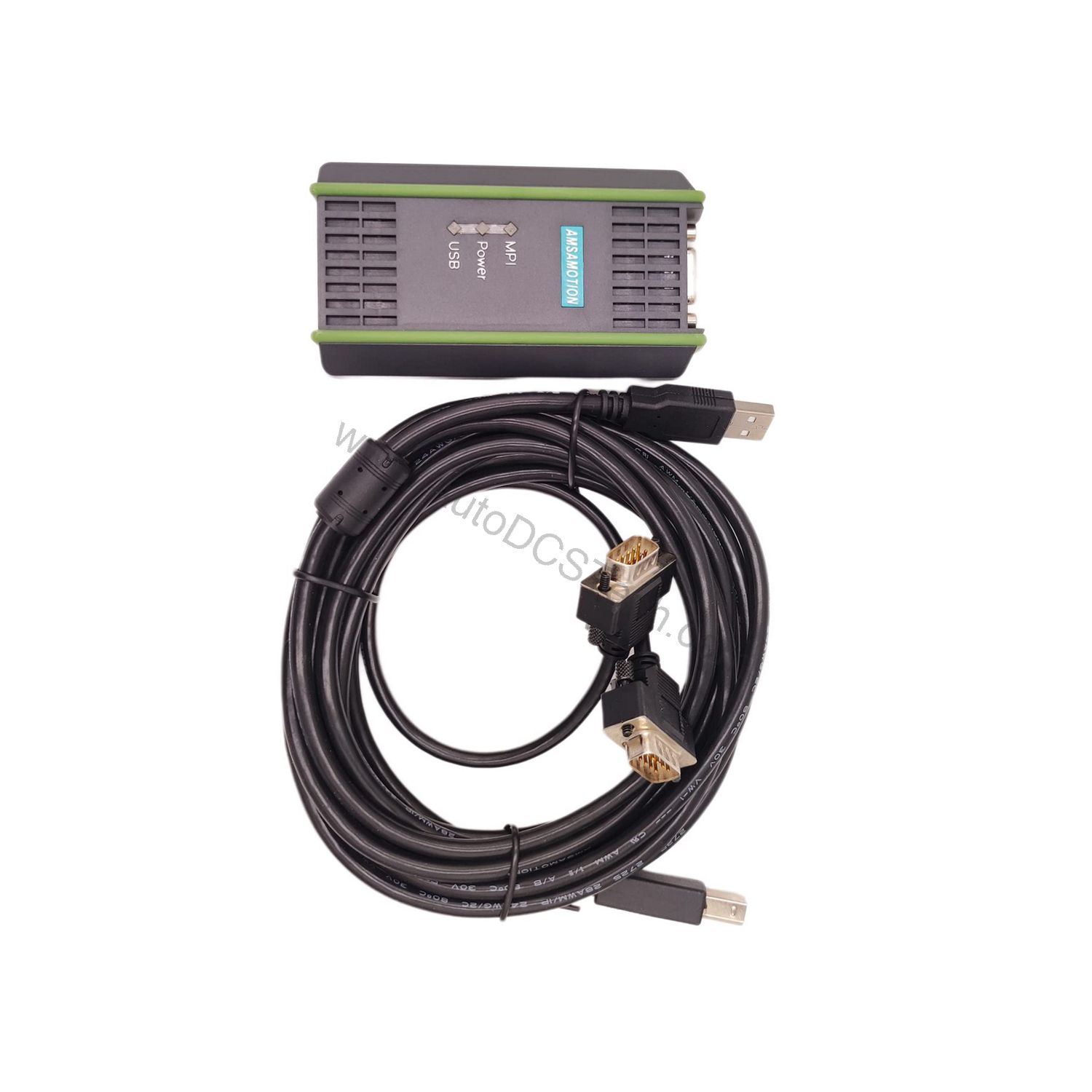
The 6ES7972-0CB20-0XA0 is available from AutoDCSTech, a trusted supplier of industrial automation parts. Contact AutoDCSTech for current stock, pricing, and lifecycle status. Please verify the latest availability before ordering.
Comparison with Alternative Connection Methods
When compared to legacy serial adapters or Ethernet-based gateways, the 6ES7972-0CB20-0XA0 offers an unique balance of simplicity and speed. The table below highlights key differences:
| Feature | 6ES7972-0CB20-0XA0 | Typical Serial Adapter | Ethernet Gateway |
|---|---|---|---|
| PC Interface | USB 12 Mbps | RS-232 (slow) | Ethernet (fast) |
| PLC Interface | RS485 up to 1.5 Mbps | RS485 up to 187.5 kbps | Profinet (high speed) |
| Power Supply | 24 V DC (SELV) from MPI | Often external | Often external |
| Portability | Compact, handheld | Bulky | Requires network setup |
Availability & Condition at AutoDCSTech
| Part Number | 6ES7972-0CB20-0XA0 |
|---|---|
| Availability | In Stock |
| Condition | New |
| Warranty | One Year |
| Origin | Germany |