Technical Specifications Breakdown
Key parameters for the 2711P-B12C10D2 are listed below for quick reference:
| Feature | Specification |
|---|---|
| Manufacturer | Allen Bradley |
| Series | PanelView Plus |
| Part Number | 2711P-B12C10D2 |
| Product Type | PanelView |
| Display Size | 12.1 inches |
| Screen Type | Touch Screen |
| Input Type | Keypad Input |
| Resolution | 800 x 600 SVGA |
| Communication Ports | 2 x USB, 1 x Ethernet, 1 x RS-232 |
| Flash Memory | 64 MB |
| Operating Humidity Range | 5 to 95% (non-condensing) |
| Minimum Temperature Range | 0°C |
| Maximum Temperature Range | 40°C |
| Storage Humidity Range | 5 to 95% (non-condensing) |
| Maximum Altitude | 1000m above sea level |
Built for Real-World Industrial Applications
The 2711P-B12C10D2 is a versatile operator interface suited for a range of sectors. In a packaging line, operators can monitor machine status, adjust parameters, and acknowledge alarms directly from the touch screen. In a water treatment plant, the same unit can display tank levels and flow rates, while the keypad input offers a reliable backup when gloves make touch operation difficult. The dual input modes provide flexibility that many fixed-input HMIs lack.
Installation and Setup Guidance
When mounting this PanelView Plus, ensure the enclosure allows adequate airflow to keep the ambient temperature within the 0°C to 40°C operating range. The unit is rated for altitudes up to 1000 meters, so verify your installation site does not exceed this limit. Use the built-in Ethernet port for network connectivity, and the RS-232 port for legacy device integration. The two USB ports are handy for transferring recipes or firmware updates. Always follow the manufacturer's mounting and wiring recommendations to avoid interference.
Maintenance and Reliability
To maintain long-term reliability, inspect the touch screen and keypad regularly for signs of wear or damage. Keep the display clean using a soft, dry cloth. The unit tolerates humidity from 5% to 95% non-condensing, but avoid exposing it to condensation. Periodically check that all cable connections are secure, especially in high-vibration environments. Following these simple steps helps prevent unexpected downtime.
Operator Interface That Keeps Production Visible
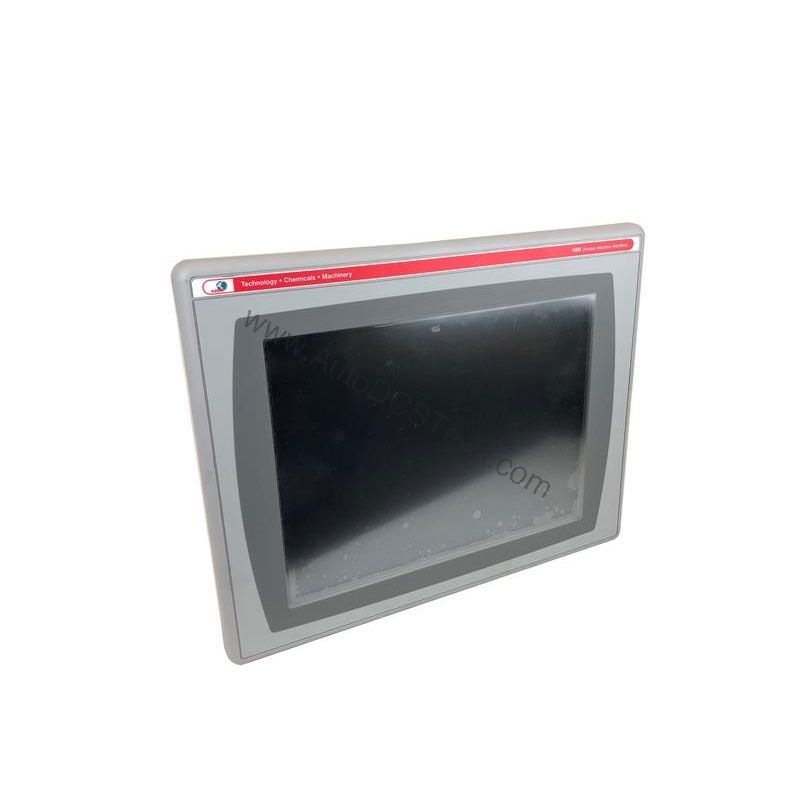
In a busy manufacturing environment, operators need clear, real-time data to make quick decisions. The Allen-Bradley 2711P-B12C10D2 from the PanelView Plus series delivers exactly that. With its 12.1-inch touch screen and crisp 800 x 600 SVGA resolution, this operator interface turns complex process data into an intuitive visual experience. It is built for applications where uptime and clarity are non-negotiable.
Compatibility and Integration
The 2711P-B12C10D2 is part of the PanelView Plus series, designed to work within a Rockwell Automation environment. Its Ethernet port supports standard industrial protocols, making it easy to connect to PLCs and other control systems. The RS-232 port allows direct connection to older equipment. With 64 MB of flash memory, you have ample space for application projects and logs. For specific protocol support, consult the product documentation.
Selection Guide and Purchasing Advice
When selecting an operator interface, consider the display size, resolution, and communication options. The 2711P-B12C10D2 offers a balanced feature set for most mid-sized applications. At AutoDCSTech, we stock this model and can advise on availability. Please verify current lifecycle status and availability with AutoDCSTech before ordering. Our team is ready to help you find the right HMI solution for your process.
Availability & Condition at AutoDCSTech
| Part Number | 2711P-B12C10D2 |
|---|---|
| Availability | In Stock |
| Condition | New |
| Warranty | One Year |
| Origin | US |