Technical Specifications Breakdown
Key parameters for the 2711P-B6C8D are listed below for quick reference:
| Feature | Specification |
|---|---|
| Manufacturer | Rockwell Automation |
| Brand | Allen-Bradley |
| Part Number/Catalog No. | 2711P-B6C8D |
| Series | PanelView Plus 600 |
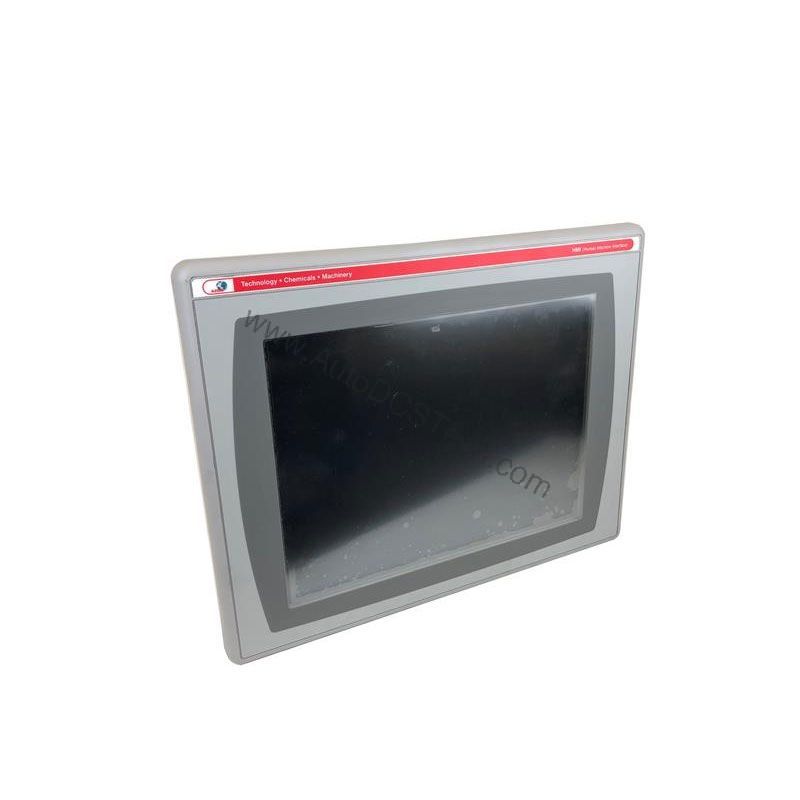
| Module Type | Operator Interface Terminal |
| Input Type | Keypad/Touchscreen |
| Power Supply | 24 Volts DC |
| Communication | RS-232, USB, Ethernet, DH+ |
| Display | 5.7-inch Color |
| Product Lifecycle Status | Discontinued/Obsolete |
Industry Applications and Operational Benefits
This operator interface terminal is well-suited for applications where operators need to view machine status, input parameters, and acknowledge alarms. For example, in a packaging line, the 2711P-B6C8D can display real-time production counts and allow operators to adjust settings without opening an electrical panel. In a water treatment facility, its Ethernet and DH+ communication options enable integration with PLCs and SCADA systems, providing a centralized control point. The keypad and touchscreen inputs offer flexibility, allowing operators to use the device even when wearing gloves. By providing a clear, responsive interface, this terminal helps reduce operator errors and improve overall equipment effectiveness.
Installation and Setup Guidance
When installing the 2711P-B6C8D, ensure the DC power supply is within the specified range. The terminal accepts a nominal input voltage of 24 Volts DC, with an input voltage range between 18 and 32 Volts DC. Use a regulated power source to prevent voltage fluctuations that could affect performance. Mount the terminal in a location that is easily accessible to operators but protected from excessive vibration and extreme temperatures. For communication, connect the RS-232, USB, Ethernet, or DH+ ports as required by your application. Ensure that all cables are properly shielded and routed away from high-voltage lines to avoid electromagnetic interference.
Maintenance and Reliability
To maintain reliable operation, perform periodic inspections of the terminal and its connections. Check for loose wiring, signs of overheating, or physical damage to the screen. The touchscreen is designed for use with a bare finger, a gloved finger, or a plastic stylus with a minimum tip radius of 1.3 mm (0.051 in.). Using other objects may damage the screen. Keep the screen clean with a soft, dry cloth. Avoid exposing the terminal to excessive dust, moisture, or corrosive atmospheres. If the terminal is part of a critical process, consider having a spare unit available to minimize downtime.
The Challenge of Reliable HMI Control in Harsh Industrial Environments
In many production facilities, operators need a clear, responsive interface to monitor and control processes in real time. When a line goes down, every second counts. The Allen-Bradley 2711P-B6C8D operator interface terminal from the PanelView Plus 600 series addresses this need with a rugged design and versatile input options. This DC-powered terminal provides a dependable window into your automation system, helping to reduce downtime and improve operator efficiency.
Compatibility and Integration
The 2711P-B6C8D is part of the PanelView Plus 600 series, which is designed to work with Rockwell Automation controllers. It includes a DH+ communication module, allowing it to connect to networks that support this protocol. Standard Ethernet and RS-232 serial ports are also available, providing flexibility for integration into existing systems. The USB port allows you to connect peripherals such as a mouse, keyboard, printer, or barcode scanner, enhancing the terminal's usability. This range of communication options makes the 2711P-B6C8D a versatile choice for many industrial applications.
Selection Guide and Purchasing Advice
Because the 2711P-B6C8D is discontinued and obsolete, it is important to verify current lifecycle status and availability with AutoDCSTech before ordering. AutoDCSTech specializes in industrial automation parts and can help you find the right replacement or alternative. When selecting an operator interface terminal, consider factors such as display size, input type, communication protocols, and power supply requirements. The 2711P-B6C8D offers a 5.7-inch color display, keypad/touchscreen input, and DC power, making it suitable for many applications. Contact AutoDCSTech for pricing and availability, and to discuss your specific requirements.
Availability & Condition at AutoDCSTech
| Part Number | 2711P-B6C8D |
|---|---|
| Availability | In Stock |
| Condition | New |
| Warranty | One Year |
| Origin | US |