Technical Specifications Breakdown
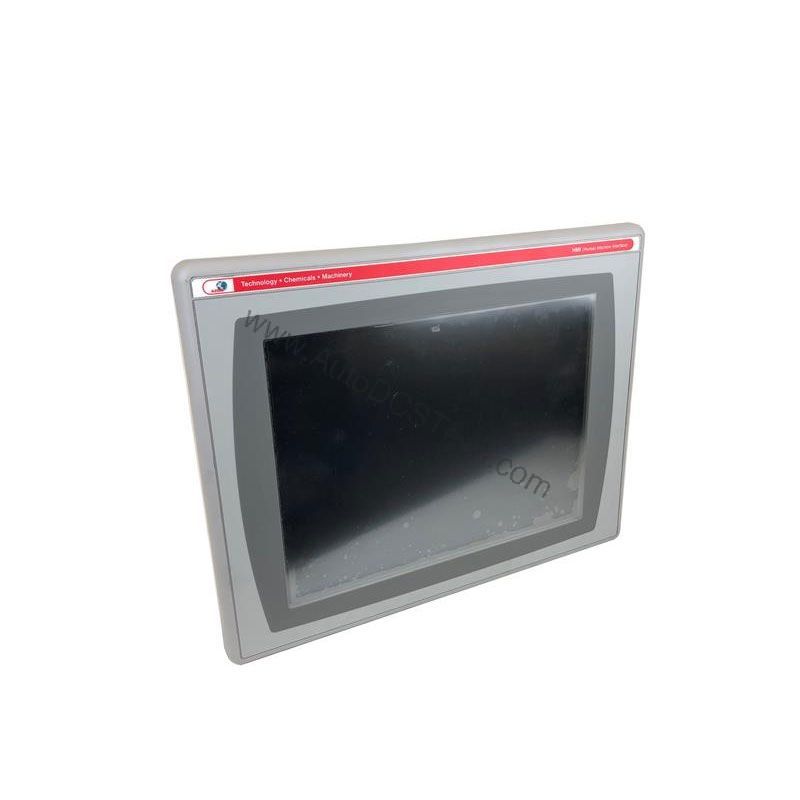
Key parameters for the 2711P-K6C20D9 are listed below for quick reference:
| Feature | Specification |
|---|---|
| Brand | Allen-Bradley |
| Part Number | 2711P-K6C20D9 |
| Product Line | PanelView 6 Plus |
| Display Size | 5.7 in. |
| Display Color | Color |
| Input Type | Keypad |
| Communication | Ethernet and RS-232 |
| Input Power | 18-30 VDC |
| Memory | 256 MB RAM |
| Backlight | Non-replaceable |
| Communication Cable | 2711-NC13 |
| Shipping Weight | 6 lbs. |
| Shipping Dimensions | 14 x 11 x 8 in |
| Series | Series A and Series B |
This HMI terminal is well-suited for applications where operators need to interact with machines directly. For example, in a packaging line, the keypad allows quick data entry for batch changes, while the color display shows real-time status. In a material handling system, the Ethernet port enables seamless integration with a PLC over EtherNet/IP, allowing operators to monitor conveyor speeds and troubleshoot alarms. The 18-30 VDC input power makes it flexible for use in control panels with DC power supplies, common in many industrial settings.
Installation & Setup Guidance
When installing this terminal, ensure the DC power supply is within the 18-30 VDC range to avoid damage. Use the provided communication cable (2711-NC13) for RS-232 connections. For Ethernet, connect to your network using a standard RJ45 cable; the port supports 10/100Base-T and MDI/MDI-X, so crossover cables are not required. Download your application via the Ethernet port, which also supports printing and file transfers. Always mount the terminal in a location that allows easy access to the keypad and clear visibility of the display.
Maintenance & Reliability
This terminal features a non-replaceable backlight, so periodic inspection of the display brightness is recommended. Keep the unit clean and free from dust, and ensure the enclosure is properly sealed to protect against moisture. Check all cable connections regularly to prevent communication issues. Because the backlight is not user-serviceable, plan for eventual replacement of the entire unit if the display dims over time.
Compatibility & Integration
The 2711P-K6C20D9 supports Ethernet and RS-232 communication, making it compatible with a wide range of controllers. The Ethernet port supports EtherNet/IP, an open industrial network that allows real-time I/O messaging and message exchange. This allows the terminal to communicate with controllers on the same network. The RS-232 port provides a reliable point-to-point connection for legacy devices. For applications requiring an additional Ethernet port, the 2711P-RN20 module is available for larger terminals (700-1500), but this 600-series unit typically uses the built-in port.
Selection Guide & Purchasing Advice
When selecting an HMI terminal, consider your display size, input method, and communication needs. With Ethernet and RS-232, it fits most modern and legacy systems. Before ordering, verify the current lifecycle status and availability with AutoDCSTech. Our team can help you confirm this model is suitable for your application and provide competitive pricing.
Troubleshooting & Common Issues
If the display is blank, check the DC power supply to ensure it is within 18-30 VDC. If communication fails, verify the Ethernet cable connection and IP address settings. For RS-232 issues, confirm the baud rate and cable wiring match the connected device. If the keypad does not respond, restart the terminal and check for any application errors. For persistent problems, consult the user manual or contact AutoDCSTech for technical support.
Availability & Condition at AutoDCSTech
| Part Number | 2711P-K6C20D9 |
|---|---|
| Availability | In Stock |
| Condition | New |
| Warranty | One Year |
| Origin | US |