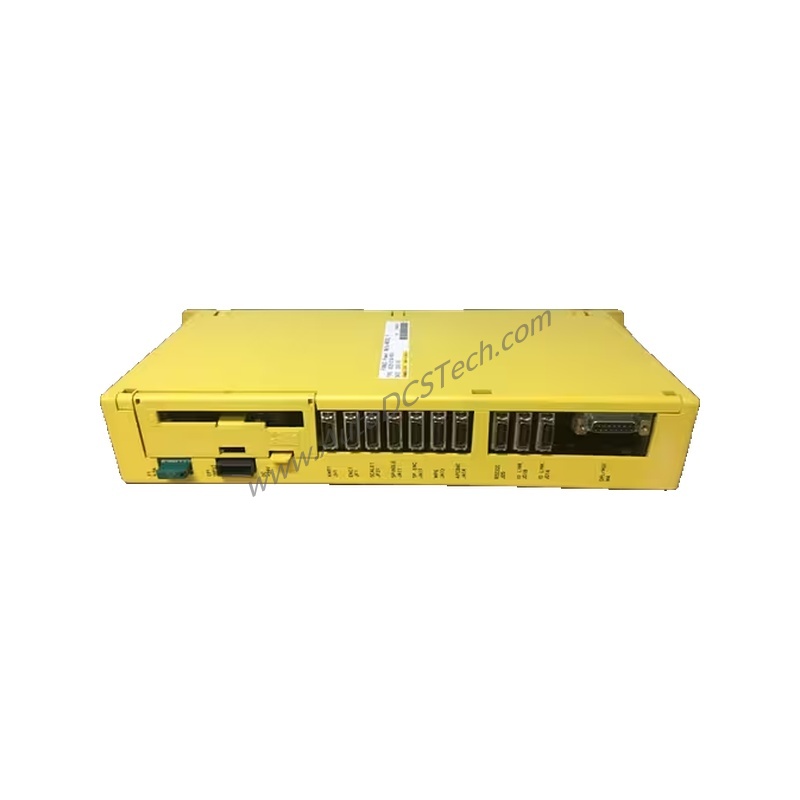
FANUC A02B-0285-B801 Basic Unit Overview
This unit integrates an F21/210I M/T-B control interface, making it suitable for a wide range of machining applications. Its panel-mountable design simplifies installation in existing control cabinets.
Key Technical Specifications
The A02B-0285-B801 operates on an input voltage of 100-240 VAC, ensuring compatibility with global power standards. It consumes only 30W of power, promoting energy efficiency in continuous operation. The unit functions effectively within an operating temperature range of 0°C to 45°C and can be stored at temperatures from -20°C to 60°C. Weighing 3.56 lbs (1.62 kg), it is compact and easy to handle.
Industry Applications
In a typical manufacturing environment, the A02B-0285-B801 provides stable control for precision cutting and shaping operations. Its robust design ensures reliable performance even in demanding production settings.
Installation and Setup Guidance
Mount the A02B-0285-B801 securely on a panel using the provided mounting points. Ensure adequate ventilation around the unit to maintain the 0°C to 45°C operating temperature range. Connect the input power to a 100-240 VAC source, and use the Modbus or Ethernet ports for seamless integration into your network. Always verify power is disconnected before installation.
Maintenance and Reliability
Regularly inspect the unit for dust accumulation and ensure cooling vents remain unobstructed. The low 30W power consumption reduces heat generation, contributing to long service life. Periodic checks of communication connections (Modbus, Ethernet) help prevent downtime. Follow standard industrial maintenance practices to maximize reliability.
Compatibility and Integration
The A02B-0285-B801 communicates via Modbus and Ethernet protocols, enabling easy connection to PLCs, HMIs, and other networked devices. It integrates smoothly with FANUC CNC systems and third-party controllers that support these protocols. This flexibility makes it a versatile choice for upgrading or expanding existing automation networks.
Selection Guide and Purchasing Advice
Before ordering, verify that your system requires the F21/210I M/T-B control type and that your power supply matches the 100-240 VAC input range. Confirm panel mounting is suitable for your enclosure. For current availability and lifecycle status, contact AutoDCSTech. We stock the A02B-0285-B801 and can advise on replacements or upgrades if needed.
Availability & Condition at AutoDCSTech
| Part Number | A02B-0285-B801 |
|---|---|
| Availability | In Stock |
| Condition | New |
| Warranty | One Year |
| Origin | Japan |