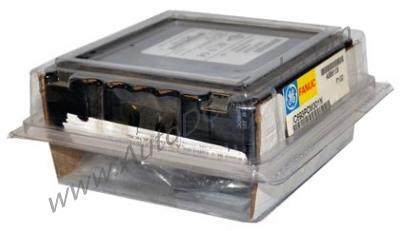
Introduction
This microcomputer acts as a coprocessor, enabling seamless data exchange between your PLC and industrial computers, monitors, or process controllers. Designed for demanding environments, it supports both Communications Coprocessor Module (CCM) and ASCII/BASIC Module (ABM) operations, giving you flexibility in application configuration.
Technical Specifications
The IC693PCM301 belongs to the GE Fanuc Series 90-30 family and offers these key specifications:
- Number of Serial Ports: 2
- Supported Operations: CCM and ASCII/BASIC Module
- Number of LEDs: 3 (1 OK LED, 2 user-configurable)
- Hot-Swapping: Not supported
- MegaBasic Interface Functions: Supported
These specs mean the module can connect two serial devices simultaneously, while the three LEDs provide clear status indication. The OK LED shows module health: steady on when working, off when faulty, and flashing during power-up diagnostics. The two user LEDs can be programmed for custom status signals.
Industry Applications
In manufacturing plants, the IC693PCM301 serves as a communication gateway between a Series 90-30 PLC and peripheral devices like barcode scanners or weigh scales. For example, in a packaging line, it can collect data from multiple sensors and send commands to actuators, all while running MegaBasic applications for real-time data processing. In process control, it interfaces with distributed I/O systems, enabling centralized monitoring and control.
Installation & Setup Guidance
Installing the IC693PCM301 is straightforward—it occupies a single slot in any Series 90-30 baseplate. However, because hot-swapping is not supported, you must power down the system before inserting or removing the module. After installation, configure the module via software to operate as either a CCM or ABM, depending on your application needs. Ensure the serial ports are connected to compatible devices using appropriate cables.
Maintenance & Reliability
For a maintenance engineer, reliability is paramount. The IC693PCM301 includes an internal lithium battery that preserves user memory during power interruptions, eliminating data loss. Regularly inspect the module for dust accumulation and ensure proper ventilation. The three LEDs offer quick visual diagnostics: if the OK LED turns off, check power and seating. Since the module is solid-state, it has no moving parts, reducing wear and tear. Periodic firmware updates can enhance performance, but always follow manufacturer guidelines.
Compatibility & Integration
It works with any baseplate in the series and communicates via its two serial ports. The module supports MegaBasic interface functions, allowing you to run custom applications for data acquisition, storage, and real-time computing. For integration, ensure your PLC firmware is compatible; consult the Series 90-30 manual for details.
Selection Guide & Purchasing Advice
Before purchasing the IC693PCM301, verify your system's compatibility. Check that your Series 90-30 baseplate has a free slot and that your PLC firmware supports the module. Consider whether you need CCM or ABM operation—this module handles both. For replacement or new installations, AutoDCSTech offers genuine GE Fanuc modules with reliable availability. Contact our team to confirm lifecycle status and current stock.
Troubleshooting & Common Issues
Common issues with the IC693PCM301 include communication failures and LED anomalies. If the OK LED is off, check the module's seating and power supply. If serial communication fails, verify cable connections and port configuration. For MegaBasic application errors, review your code for syntax issues. Since hot-swapping is not supported, always power down before handling the module to avoid damage.
Frequently Asked Questions
Q1: Can the IC693PCM301 be used with any Series 90-30 CPU?
A1: Yes, it is compatible with all Series 90-30 CPUs, but verify firmware support for CCM and ABM modes.
Q2: How do I configure the module for CCM operation?
A2: Use the Series 90-30 programming software to set the module to CCM mode via the configuration menu.
Q3: What does the OK LED indicate?
A3: The OK LED is steady on when the module works correctly, off when faulty, and flashes during power-up diagnostics.
Q4: Does the module support hot-swapping?
A4: No, hot-swapping is not supported. Always power down the system before installing or removing the module.
Q5: How long does the internal battery last?
A5: Battery life varies; replace it every 2-3 years or as recommended in the manual to maintain memory retention.
Availability & Condition at AutoDCSTech
| Part Number | IC693PCM301 |
|---|---|
| Availability | In Stock |
| Condition | New |
| Warranty | One Year |
| Origin | US |