Cost-Effective Video Integration for Industrial HMIs
This module adds video input and recording capabilities to your GOT2000 series HMI, allowing operators to view live feeds or review recorded footage without investing in separate, expensive systems.
What Is the GT27-MMR-Z?
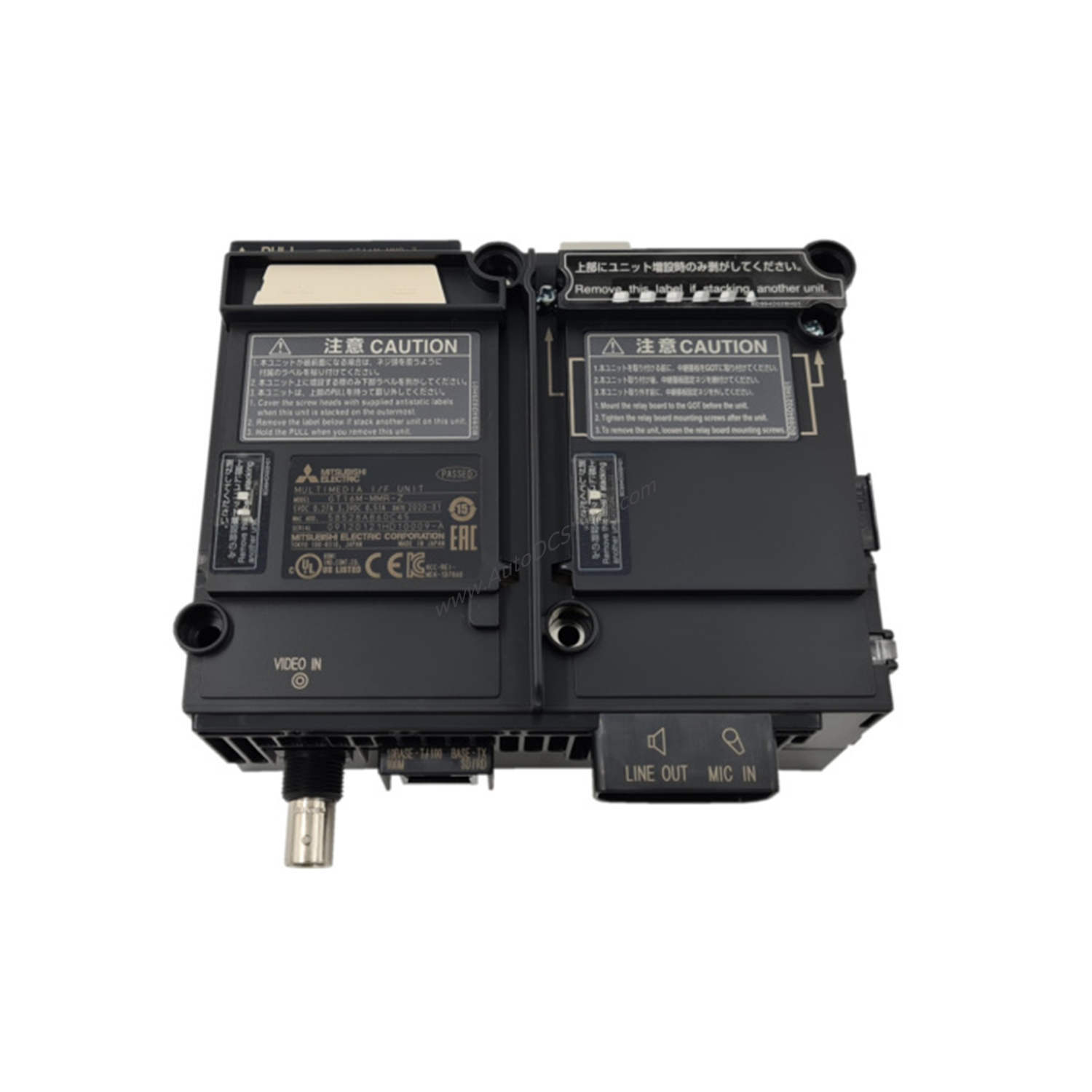
The GT27-MMR-Z is a multimedia unit designed for the Mitsubishi GOT2000 series, specifically compatible with GT27 models. It accepts composite video signals in NTSC or PAL formats through a single BNC connector, and stereo audio via a 3.5mm mini-jack. The unit records video directly to a CompactFlash (CF) card, enabling easy storage and playback. With a weight of 10.00 lbs (4.54 kg), it is robust yet manageable for panel mounting.
Technical Specifications Breakdown
- Input Signal Type: Composite video (NTSC/PAL) — ensures compatibility with standard surveillance cameras and industrial video sources, reducing the need for signal converters.
- Input Channels: 1 channel — sufficient for single-camera monitoring, keeping hardware costs low.
- Recording Capability: Records to a CompactFlash (CF) card — CF cards are durable and widely available, offering a cost-effective storage medium.
- Audio Input: Stereo via 3.5mm mini-jack — adds sound monitoring without extra modules, saving on integration expenses.
Industry Applications
- Quality Control Monitoring: In food processing or packaging lines, the GT27-MMR-Z records video of critical inspection points. Operators can review footage after a shift to identify defects, reducing waste and rework costs.
- Security Surveillance: For remote or unmanned facilities, the unit captures video from a single camera and stores it on a CF card. This eliminates the need for a separate DVR, lowering capital expenditure.
- Process Verification: In pharmaceutical manufacturing, recorded video provides a visual record of batch processes, supporting compliance audits without expensive third-party systems.
Installation & Setup Guidance
Mount the GT27-MMR-Z securely inside your control panel using the provided brackets. Connect a composite video source (e.g., camera) to the BNC connector, and attach stereo audio equipment to the 3.5mm jack. Insert a formatted CompactFlash card into the slot. Power the unit through the GOT2000 backplane — no external power supply is needed. Configure video settings via the HMI software to select NTSC or PAL format and set recording parameters.
Maintenance & Reliability
Regularly inspect the BNC connector and audio jack for corrosion or loose connections, as these can degrade signal quality and increase downtime. Clean the CF card slot with compressed air every six months to prevent dust buildup. The unit’s solid-state design minimizes moving parts, enhancing long-term reliability and reducing maintenance costs.
Compatibility & Integration
The GT27-MMR-Z is fully compatible with Mitsubishi GOT2000 series HMI models, particularly the GT27. This plug-and-play compatibility reduces installation time and engineering effort, translating to lower project costs.
Selection Guide & Purchasing Advice
Before ordering, verify that your HMI is a GT27 model within the GOT2000 series. Ensure you have a compatible CompactFlash card (not included) and a BNC cable for your video source. For audio, use a standard 3.5mm stereo cable. AutoDCSTech stocks the GT27-MMR-Z and can confirm current lifecycle status and availability — contact our team for assistance.
Troubleshooting & Common Issues
- No video signal: Check that the camera output is set to NTSC or PAL and matches the unit’s configuration. Verify the BNC connection is secure.
- Recording fails: Ensure the CF card is formatted correctly (FAT32) and has sufficient free space. Try a different card if problems persist.
- Audio not capturing: Confirm the 3.5mm plug is fully inserted and the audio source is active. Test with a known working microphone.
Frequently Asked Questions
Q: Can the GT27-MMR-Z record audio simultaneously with video?
A: Yes, it records stereo audio from the 3.5mm mini-jack alongside the video feed.
Q: What is the maximum CF card capacity supported?
A: The provided data does not specify a capacity limit. Use standard CF cards up to 32GB for reliable performance.
Q: Does the unit support high-definition video?
A: No, it only accepts standard-definition composite video (NTSC/PAL). For HD, consider a different solution.
Q: Can I connect multiple cameras?
A: No, the GT27-MMR-Z has a single video input channel. Use an external switcher if multiple cameras are needed.
Q: Is the GT27-MMR-Z still in production?
A: Please verify current lifecycle status and availability with AutoDCSTech before ordering.
Availability & Condition at AutoDCSTech
| Part Number | GT27-MMR-Z |
|---|---|
| Availability | In Stock |
| Condition | New |
| Warranty | One Year |
| Origin | Japan |