Introduction
Struggling to integrate your Modicon M340 controller into a modern Ethernet network? The Schneider BMXNOE0100 TCP/IP Ethernet Network Module provides a straightforward solution. As part of the Transparent Ready concept, this module equips your automation system with reliable, high-speed network connectivity.
Technical Specifications Breakdown
The BMXNOE0100 delivers essential performance metrics for demanding industrial environments. Its Ethernet port supports both 10BASE-T and 100BASE-TX standards, ensuring compatibility with existing network infrastructure. The module draws a current consumption of 90 mA at 24 V DC, making it energy-efficient for continuous operation. Operating temperature ranges from 0 to 60 °C, and relative humidity tolerance spans 10 to 95% non-condensing. The IP20 rating protects against solid objects larger than 12 mm. With a net weight of 0.2 kg, the module is lightweight and easy to install.
Industry Applications
In manufacturing plants, the BMXNOE0100 enables real-time data exchange between the Modicon M340 controller and supervisory systems. Use it for I/O scanning to monitor remote devices, or leverage the embedded web server for diagnostics and configuration via a standard browser. The module supports Modbus TCP messaging, making it suitable for building management systems, conveyor lines, and packaging machinery. Its FDR server simplifies device replacement by automatically restoring network parameters.
Installation & Setup Guidance
Mount the BMXNOE0100 directly into the Modicon M340 rack. It receives power via the internal rack power supply, so no external power wiring is needed. Connect a standard twisted-pair Ethernet cable with an RJ45 connector to the module's port. Use the RESET button for a cold start if required. The supplied Flash Card (BMXRWSC016M) stores application programming and activates the standard web server. Ensure the operating environment stays within 0 to 60 °C and that the IP20 enclosure is protected from moisture and dust.
Maintenance & Reliability
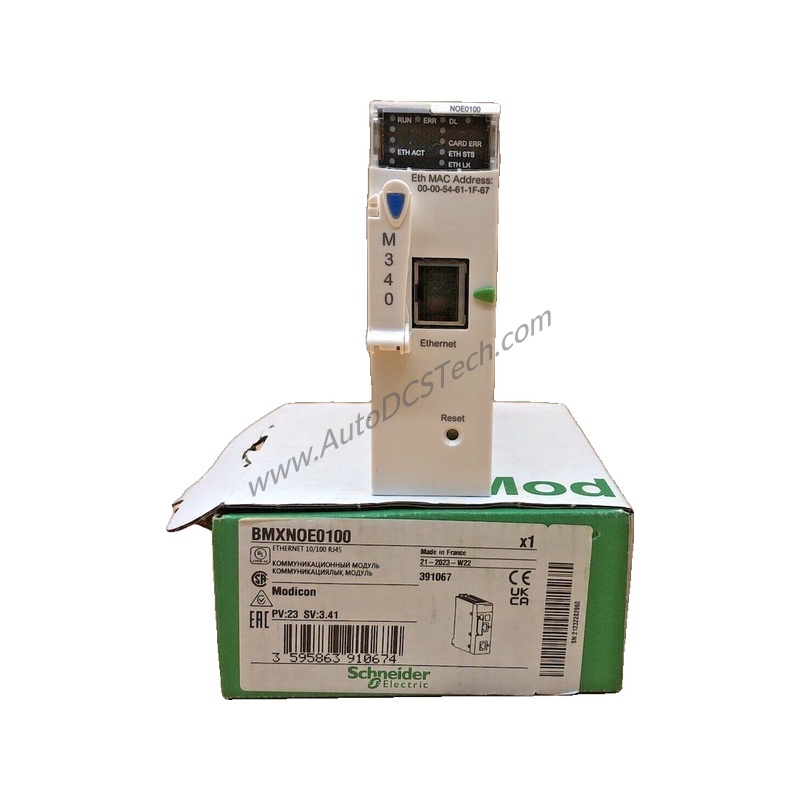
Periodically inspect the front-panel LEDs for status indications. The green ETH ACT LED shows Ethernet activity, the RUN LED indicates processor run status, and the ETH STS LED reflects network status. Red LEDs signal errors: ETH 100 for data rate mismatch, CARD ERR for memory card issues, and ERR for processor or system faults. Regular visual checks of these LEDs help identify problems early. Keep the module free of dust and within the specified humidity range to ensure long-term reliability.
Compatibility & Integration
It supports multiple communication services, including bandwidth management, global data, I/O scanning, Modbus TCP messaging, and SNMP network management. The module also provides a rack viewer and data editor via a PC terminal. For network management, use the built-in SNMP agent. The module complies with directives 2014/35/EU (Low Voltage) and 2014/30/EU (Electromagnetic Compatibility), marked with CE.
Selection Guide & Purchasing Advice
Before purchasing the BMXNOE0100, verify that your Modicon M340 rack has an available slot and that your power supply can support the additional 90 mA at 24 V DC. Confirm that your network infrastructure supports 10/100 Mbit/s Ethernet. AutoDCSTech stocks the BMXNOE0100 and can provide current availability and lifecycle status. Please verify lifecycle status with AutoDCSTech before ordering.
Availability & Condition at AutoDCSTech
| Part Number | BMXNOE0100 |
|---|---|
| Availability | In Stock |
| Condition | New |
| Warranty | One Year |
| Origin | France |