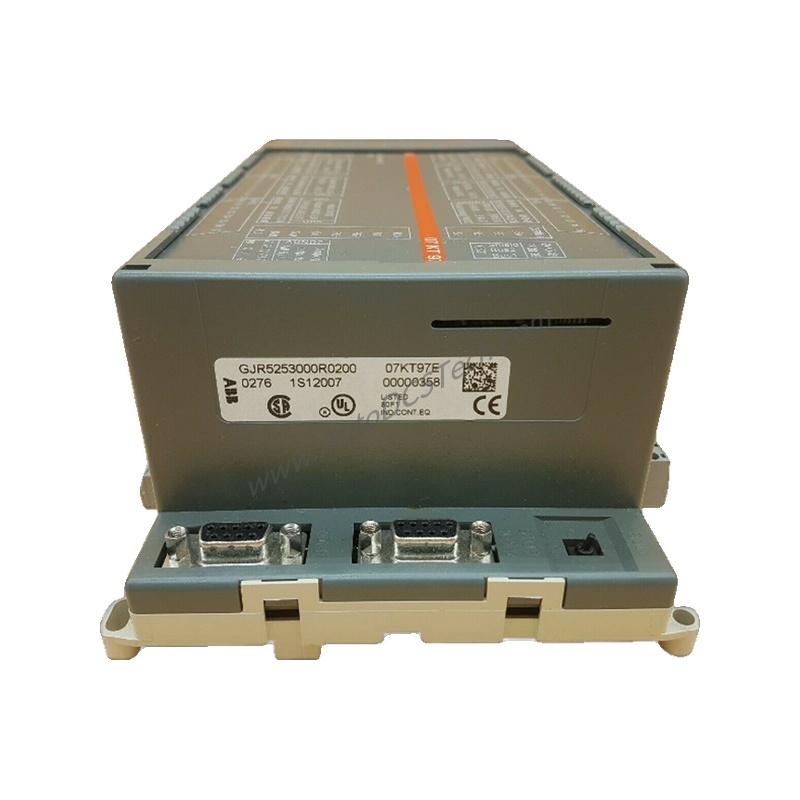
Product Introduction
When communication failures disrupt your I/O cluster or ABB drives, the ABB TB842 3BSE022464R1 ModuleBus Optical Port delivers a reliable fiber optic link. This module connects CI801 or CI840/CI840A FCI to TB820/TB820V2/TB840/TB840A ModuleBus modems via the Optical ModuleBus. It supports both simplex ring and duplex row configurations, ensuring flexibility in system design.
Technical Specifications Breakdown
The TB842 operates at up to 10 Mbit/s with a transmitter/receiver using Agilent's Versatile Link connectors. It consumes 20 mA from a 24 V supply and dissipates only 0.5 W. The module supports plastic and HCS fiber optic cables with a wavelength of 650 nm. Operating temperature ranges from 0 to +55 °C, with storage from -40 to +70 °C. It measures 17.6 mm wide, 56.7 mm high, and 42.3 mm deep, weighing 90 g.
Industry Applications
In process control plants, the TB842 eliminates electrical noise interference by using fiber optics for long-distance communication between controllers and remote I/O clusters. For redundant systems, its duplex configuration ensures continuous operation even if one fiber path fails. This reduces unplanned downtime and maintenance costs.
Installation & Setup Guidance
Mount the TB842 vertically or horizontally on a DIN rail. Connect the fiber optic cable using Agilent Versatile Link connectors. For simplex rings, daisy-chain nodes in a loop; for duplex rows, connect nodes in a line. Ensure all nodes use the same transmitter/receiver type. Use TB806 with CI801 or TU847/TU846 with CI840/CI840A for proper integration.
Maintenance & Reliability
Inspect fiber optic connections periodically for dust or damage. The TB842 supports hot swap, allowing replacement without powering down the system. Its IP20 enclosure protects against solid objects. Operate within 0 to +55 °C ambient temperature, or 40 °C for vertical mounting, to ensure long service life.
Compatibility & Integration
The TB842 integrates with CI801 and CI840/CI840A FCI modules via TB806 or TU847/TU846. It works with TB820, TB820V2, TB840, and TB840A modems. The ModuleBus protocol supports line and module redundancy. It is not used with HI controllers.
Selection Guide & Purchasing Advice
Before ordering, verify your system requires the TB842 for optical ModuleBus expansion. Confirm compatibility with your FCI and modem models. For stock availability and lifecycle status, contact AutoDCSTech. We offer fast shipping and expert support for ABB automation components.
Availability & Condition at AutoDCSTech
| Part Number | TB842 |
|---|---|
| Availability | In Stock |
| Condition | New |
| Warranty | One Year |
| Origin | Switzerland |