Technical Specifications Breakdown
Key parameters for the 2711P-K4M5D8 are listed below for quick reference:
| Feature | Specification |
|---|---|
| Product Family | PanelView Plus 6 400 Operator Terminals |
| Product Type | Operator Terminals |
| Display Type | Grayscale TFT LCD |
| Display Area | 70 x 53 mm (2.8 x 2.3 in.) |
| Resolution | 320 x 240, 16-levels gray |
| Keypad Function Keys | 8 function keys (F1…F8) |
| Input Voltage Range | 18-30VDC |
| Internal Memory | 256 MB RAM, 512 MB nonvolatile memory (approx. 79 MB free user memory) |
| Integrated Ports | Ethernet, RS-232, 2 USB host |
| Lifecycle Status | Active |
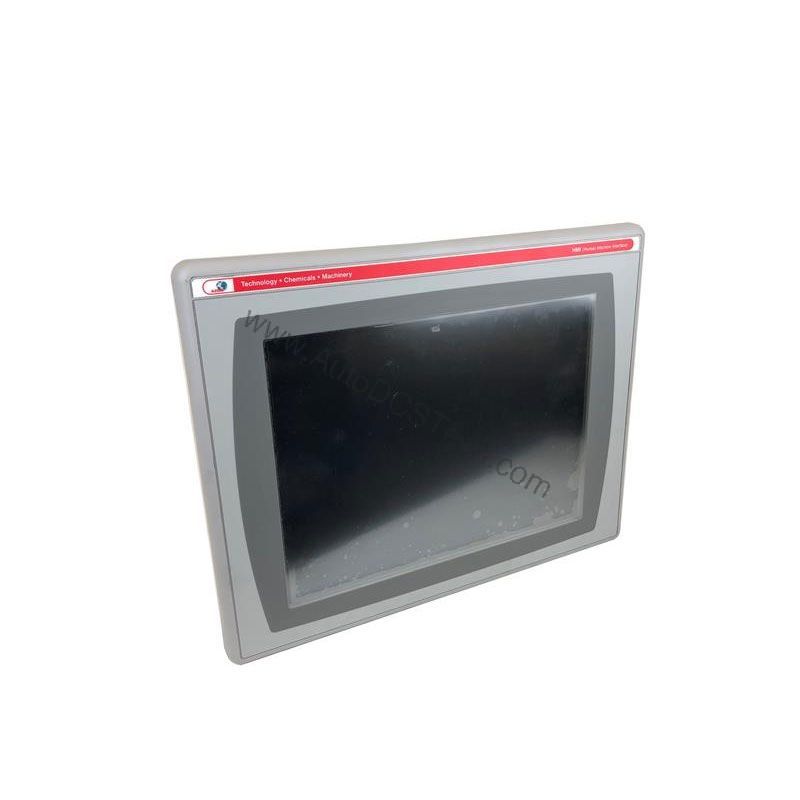
Its compact 3.5-inch grayscale display and keypad input make it a perfect fit for:
- Packaging Machinery: Use the 8 programmable function keys to start/stop cycles, acknowledge alarms, or call up specific screens. The RS-232 port can communicate with a PLC via DF1 full-duplex or DH-485 protocols, enabling efficient machine control.
- Material Handling Systems: The 18-30VDC input power allows direct integration into 24VDC control systems commonly found in conveyors and sortation equipment. The Ethernet port supports 10/100 Mbps transmission for data exchange with higher-level control systems.
- Small Process Control: For batch processing or simple monitoring, the 16-level grayscale display provides clear readouts of process variables. The numeric keypad allows operators to enter setpoints quickly and accurately.
Installation & Setup Guidance
Proper installation ensures reliable operation and longevity. Follow these practical steps:
- Mounting: The 2711P-K4M5D8 is designed for panel mounting. Ensure the cutout is clean and the unit is securely fastened to avoid vibration issues.
- Power Supply: Connect a regulated DC power source within the 18-30VDC range. Verify polarity before powering up. Use a dedicated circuit to avoid electrical noise.
- Communication Wiring: For RS-232, use a suitable cable (e.g., 2711-NC13) with a 9-pin male connector. Keep cable length within the specified 15.24 meters for reliable serial communication. For Ethernet, use standard CAT5e or better cabling with RJ45 connectors.
- USB Peripherals: The two USB host ports allow connection of a flash drive for data logging or application transfer. Use an USB 2.0 compatible device.
- Configuration: Use FactoryTalk View Studio software to develop your application. Download the runtime to the terminal via Ethernet or USB.
Maintenance & Reliability
The 2711P-K4M5D8 features an LED backlight with a 25,000-hour life, reducing the need for frequent replacements. However, to ensure long-term reliability:
- Inspect Periodically: Check the unit for dust accumulation, loose connections, and signs of moisture ingress. Clean the screen with a soft, dry cloth.
- Environmental Considerations: Operate within the specified temperature range (refer to the manual). Avoid exposure to excessive humidity, corrosive gases, or vibration.
- Backlight: The backlight is non-replaceable. If the display dims or fails, consider replacing the entire unit.
Compatibility & Integration
The 2711P-K4M5D8 is part of the PanelView Plus 6 family, ensuring compatibility with Rockwell Automation controllers. Its integrated ports provide flexibility:
- Ethernet: Supports 10/100 Mbps transmission and linear topology. For Device Level Ring (DLR) implementations, Advanced Interface Cards (AIC) may be used.
- RS-232: Supports DH-485 communication, DF1 full-duplex exchanges with controllers via direct or modem connections, and third-party point-to-point communication. It also handles application transfers and printing.
- USB Host: Allows connection of peripherals like flash drives, mice, and keyboards for data transfer and input.
Selection Guide & Purchasing Advice
When selecting the 2711P-K4M5D8, consider your application's specific requirements. If you need a simple, cost-effective HMI with keypad input and a monochrome display, this model is an choice. For applications requiring color or touchscreen, consider other PanelView Plus 6 models.
At AutoDCSTech, we offer the 2711P-K4M5D8 with active lifecycle status. Our team can assist you with product selection and availability. Contact us for a quote or to check current stock. We are your trusted partner for industrial automation parts.
Troubleshooting & Common Issues
Here are some common issues and general guidance:
- No Display: Check the input power (18-30VDC) and ensure the unit is powered. Verify the backlight is functioning.
- Communication Failure: Check RS-232 cable connections and settings. Ensure the baud rate and protocol match the connected device. For Ethernet, verify IP address configuration.
- Keypad Not Responding: Ensure no debris is stuck under keys. If the issue persists, the keypad may need service.
- Application Not Downloading: Check the USB connection or Ethernet link. Ensure the correct communication cable is used.
For complex issues, consult the user manual or contact AutoDCSTech for technical support.
Availability & Condition at AutoDCSTech
| Part Number | 2711P-K4M5D8 |
|---|---|
| Availability | In Stock |
| Condition | New |
| Warranty | One Year |
| Origin | US |