Technical Specifications Breakdown
Key parameters for the 2711P-K6C5D are listed below for quick reference:
| Feature | Specification |
|---|---|
| Brand | Allen-Bradley |
| Manufacturer | Rockwell Automation |
| Part Number | 2711P-K6C5D |
| Series | PanelView Plus 600 |
| Module Type | Operator Interface Terminal |
| Input Type | Keypad |
| Power Supply | 24 Volts DC |
| Input Voltage Range | 18 to 30 Volts DC |
| Communication | RS-232, USB ports |
| Display | 5.7-inch Color |
| Resolution | 320 x 240 |
| Memory | 256 MB RAM, 512 MB storage |
| Processor | NEC VR5532A MIPS, 350 MHz |
| Function Keys | 10 programmable |
This operator interface terminal is well-suited for applications requiring reliable local control and monitoring. In a packaging line, the keypad allows operators to quickly navigate screens and acknowledge alarms without a touchscreen. The 5.7-inch color display provides clear visual feedback, even in moderate lighting conditions.
In a material handling system, the 2711P-K6C5D can display conveyor status and allow manual overrides. Its RS-232 communication port enables connection to legacy controllers, making it a practical choice for retrofitting older machinery without a complete control system overhaul.
Installation & Setup Guidance
When installing the 2711P-K6C5D, ensure the DC power supply is within the 18 to 30 Volts DC range. Use a dedicated power source to avoid voltage fluctuations that could affect performance. The terminal should be mounted in a panel that protects it from corrosive atmospheric gases, especially those with an ignition temperature below 135 degrees Celsius.
For communication, connect the RS-232 port to the controller or network. The USB ports (one USB-A and one USB-B) support high-speed data transfer and can be used for configuration or data logging. Use the secure SD card slot with supported 1784-SDx cards for additional storage or application transfer.
Maintenance & Reliability
To maintain reliable operation, inspect the terminal periodically for dust accumulation on the display and keypad. The maximum humidity for the environment is 95%, so avoid condensation. Do not expose the unit to hazardous environments that could degrade its performance.
The battery-backed real-time clock ensures accurate time stamping, but the battery may need replacement over the life of the unit. Check the battery status during routine maintenance and replace it as needed.
The 2711P-K6C5D Operator Interface Terminal: A Reliable HMI for Industrial Control
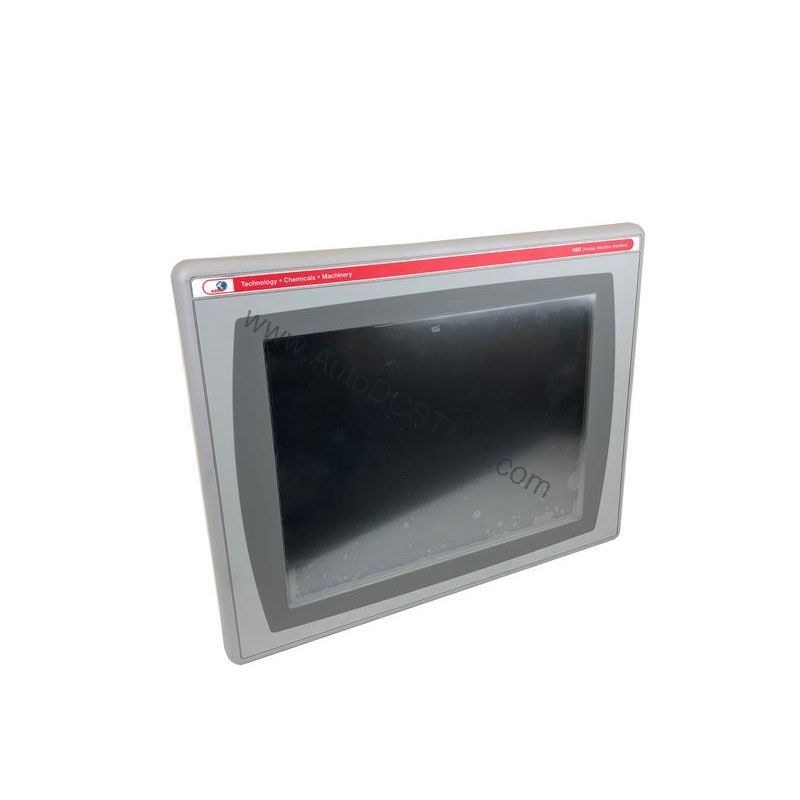
For maintenance engineers managing aging automation lines, finding a dependable replacement for a discontinued HMI can be a challenge. The Allen-Bradley 2711P-K6C5D operator interface terminal, part of the PanelView Plus 600 series, offers a proven solution for monitoring and controlling industrial processes. Its compact 5.7-inch color display and keypad input provide a familiar and robust interface for operators.
This DC-powered terminal operates on a nominal 24 Volts DC, with an input voltage range of 18 to 30 Volts DC. This flexibility makes it suitable for various control panels where a stable DC supply is available. The 2711P-K6C5D is designed for precision, allowing operators to monitor real-time data and execute control commands efficiently.
Compatibility & Integration
The 2711P-K6C5D uses Datalight Reliance with FAT support as its file system, ensuring reliable data storage. The ARM CPU clocked at 1 GHz provides responsive performance for screen navigation and data processing. The integrated keypad includes 10 programmable function keys, a numeric keypad, and navigational keys, giving operators flexible control options.
Selection Guide & Purchasing Advice
The 2711P-K6C5D is discontinued and obsolete. However, AutoDCSTech specializes in supplying industrial automation parts, including legacy Allen-Bradley components. When ordering, verify the lifecycle status and availability with AutoDCSTech to ensure it meets your project timeline. Consider stocking a spare unit to minimize downtime in critical applications.
Troubleshooting & Common Issues
If the display remains blank, first check the DC power supply voltage. Ensure it is within the 18 to 30 Volts DC range. If the keypad is unresponsive, verify that no objects are pressing on the keys and that the terminal has not entered a locked state.
For communication issues, check the RS-232 cable connections and ensure the correct baud rate is configured. If the SD card is not recognized, confirm it is a supported 1784-SDx card and properly inserted.
Please verify current lifecycle status and availability with AutoDCSTech before ordering.
Availability & Condition at AutoDCSTech
| Part Number | 2711P-K6C5D |
|---|---|
| Availability | In Stock |
| Condition | New |
| Warranty | One Year |
| Origin | US |