Technical Specifications Breakdown
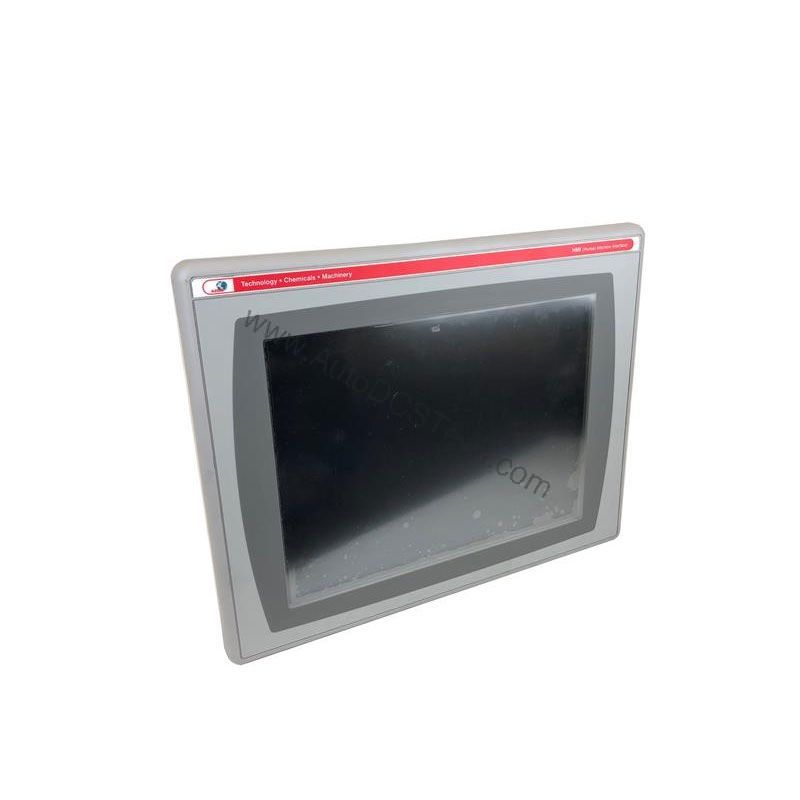
Key parameters for the 2711P-T10C4D9 are listed below for quick reference:
| Feature | Specification |
|---|---|
| Product Family | PanelView Plus 6 Compact Terminals |
| Product Category | PanelView Plus 6 1000 |
| Display Type | Color active-matrix TFT |
| Display Area | 211 x 158 mm (8.3 x 6.2 in.) |
| Resolution | 640 x 480 |
| Operator Input | Touch |
| Input Lifespan | 1 million actuations |
| Internal Memory | 512 MB RAM; 512 MB non-volatile memory |
| Integrated Ports | Ethernet, RS-232, 1 USB host |
| Input Voltage Range | 18-32VDC |
Real-World Applications That Benefit from This HMI
The touchscreen input, rated for 1 million actuations, stands up to frequent use in demanding shifts. With Ethernet and RS-232 ports, you can easily connect to PLCs and PACs, enabling efficient data exchange and remote monitoring.
Installation and Setup Guidance
When installing the 2711P-T10C4D9, follow the manufacturer's guidelines for panel cutout and mounting. Ensure the enclosure meets NEMA Type 12 or 13 requirements to protect against dust and splashing water. Connect the DC power supply within the 18-32VDC range, observing correct polarity. Use the integrated Ethernet and RS-232 ports for initial configuration, and the USB host port for loading firmware or transferring recipes via an USB drive. Always verify communication settings with your PLC before commissioning.
Maintenance and Reliability Tips
The touchscreen is rated for 1 million actuations, but regular inspection can extend its life. Clean the screen with a soft, dry cloth to avoid scratching. Periodically check the backlight (CCFL) for brightness degradation; it is field-replaceable. Keep the enclosure sealed to maintain NEMA integrity. For long-term reliability, monitor ambient temperature and ensure adequate ventilation around the unit.
Why the 2711P-T10C4D9 Is a Smart Choice for Your HMI Needs
This 10.4-inch color active-matrix TFT touchscreen terminal gives operators clear, real-time data and intuitive control, helping reduce downtime and improve efficiency. Its compact design and modular components make installation and upgrades straightforward, even in space-constrained panels.
Compatibility and Integration
The 2711P-T10C4D9 supports standard industrial protocols over Ethernet (EtherNet/IP) and RS-232 (DF1), making it compatible with a wide range of Rockwell Automation controllers. The USB host port allows connection of peripherals like keyboards or mice, and supports removable storage for data logging. For serial communication, the 2711-NC13 cable is the recommended accessory.
Selection Guide and Purchasing Advice
When selecting the 2711P-T10C4D9, verify that your application requires a 10.4-inch touchscreen HMI with DC input. If you need AC input, consider other PanelView Plus models. This unit is part of the PanelView Plus 6 1000 series, offering a balance of features and cost. For availability and lifecycle status, contact AutoDCSTech—our team can confirm stock and provide competitive pricing. We specialize in industrial automation parts and can help you find the right HMI for your control system.
Troubleshooting Common Issues
If the display remains blank, check the input voltage (18-32VDC) and power supply connections. If the touchscreen is unresponsive, verify that the touch membrane is not damaged and that the HMI is not in a locked state. For communication issues, confirm the Ethernet cable is properly seated and the IP address matches your network. If the unit fails to boot, try resetting to factory defaults via the configuration mode. For persistent problems, consult the Rockwell Automation manual or contact AutoDCSTech for support.
Availability & Condition at AutoDCSTech
| Part Number | 2711P-T10C4D9 |
|---|---|
| Availability | In Stock |
| Condition | New |
| Warranty | One Year |
| Origin | US |