Technical Specifications Breakdown
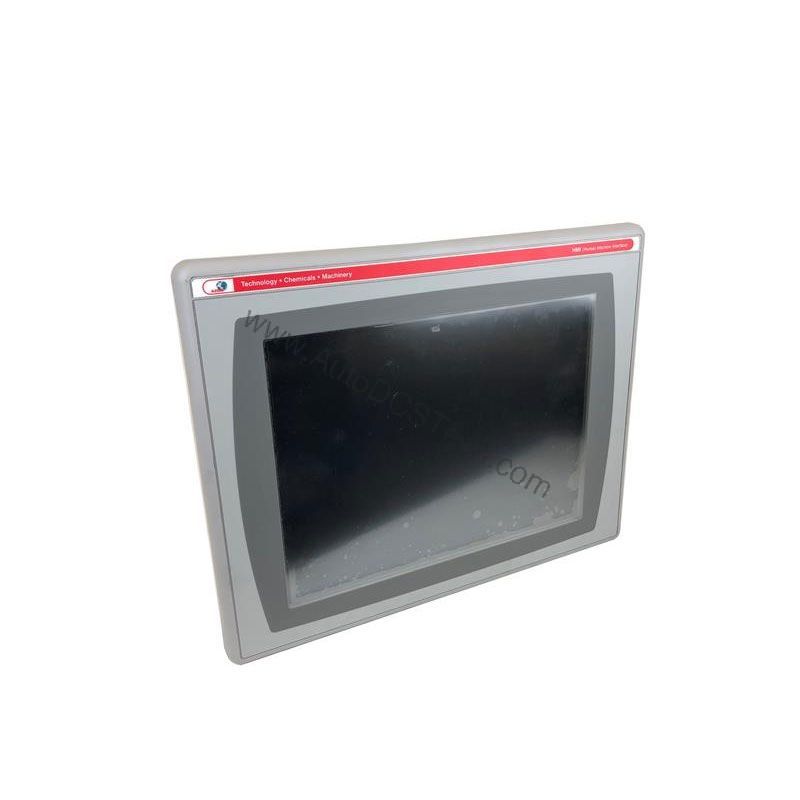
Key parameters for the 2711P-K7C4D2 are listed below for quick reference:
| Feature | Specification |
|---|---|
| Manufacturer | Rockwell Automation |
| Brand | Allen-Bradley |
| Part Number | 2711P-K7C4D2 |
| Product Line | PanelView Plus 700 |
| Display Size | 6.5 in. |
| Display Color | Color |
| Input Type | Keypad |
| Communication | Ethernet and RS-232 |
| Input Power | 18-32 VDC |
| Memory | 128 MB |
| Backlight | 2711P-RL7C2 |
| Communication Cable | 1761-NET-ENI |
| Shipping Weight | 8 lbs. |
| Shipping Dimensions | 14 x 11 x 8 in |
| Series | A, B, C, D, E, F, G |
| Product Lifecycle Status | Discontinued/Obsolete |
Packaging and Material Handling
In packaging lines, operators need a clear, responsive interface to monitor machine status and enter production data. The 6.5-inch color display and tactile keypad allow quick navigation even with gloved hands. The 18-32 VDC input power makes it suitable for DC-powered control panels common in these environments.
Process Control and Batch Monitoring
For batch processes that require recipe selection and parameter entry, the keypad simplifies data input. The Ethernet port supports EtherNet/IP communication, enabling real-time data exchange with PLCs. The RS-232 port can be used for connecting to legacy devices, offering flexibility in mixed-vendor systems.
Machine Retrofit and Upgrade Projects
When upgrading an older machine, integrating a proven HMI reduces risk. The 2711P-K7C4D2 can be installed in existing enclosures with minimal modification, thanks to its compact 6.5-inch form factor. Its compatibility with the 2711P-RN20 Ethernet module (if an additional port is needed) provides scalability without redesign.
Installation & Setup Guidance
Before installation, verify that the input power source is within the 18-32 VDC range. Use a regulated DC supply to avoid voltage spikes. Mount the HMI in a panel that provides adequate clearance for ventilation. Connect the Ethernet cable to a switch or directly to a controller; the RJ45 port supports 10/100Base-T and MDI/MDI-X, so either straight or crossover cables work. For RS-232, use a suitable null-modem cable if required. Download the application via the Ethernet port using FactoryTalk View Studio software. Ensure the communication settings match your network configuration.
Maintenance & Reliability
Although the 2711P-K7C4D2 is discontinued, it can still provide reliable service with proper care. Inspect the keypad and display periodically for signs of wear. Clean the screen with a soft, dry cloth; avoid solvents that could damage the protective overlay. Check the backlight (part number 2711P-RL7C2) for dimming; replace it when necessary to maintain visibility. Keep the enclosure clean and ensure the ambient temperature stays within the operating range (as per the original manual). Regular firmware updates are not available, but you can back up your application files to prevent data loss.
Compatibility & Integration
The 2711P-K7C4D2 supports Ethernet and RS-232 communication. The Ethernet port is EtherNet/IP-capable, allowing seamless integration with Allen-Bradley controllers such as ControlLogix, CompactLogix, and MicroLogix. The RS-232 port can be used for connecting to barcode scanners, printers, or legacy PLCs. If you need an additional Ethernet port, the 2711P-RN20 module can be added (sold separately). The 1761-NET-ENI communication cable is listed as a compatible accessory, enabling connection to certain networks. Always verify compatibility with your specific controller and software version.
Selection Guide & Purchasing Advice
Since the 2711P-K7C4D2 is discontinued, sourcing a new unit may be challenging. AutoDCSTech specializes in providing hard-to-find industrial automation parts. We can help you find a new, used, or refurbished unit that meets your requirements. When ordering, confirm the series (A through G) and the exact part number to ensure compatibility with your existing system. If you need a replacement, consider the PanelView Plus 7 Standard or Performance models as modern alternatives, but be prepared for potential software migration. Contact AutoDCSTech for current availability and lead times.
Troubleshooting & Common Issues
- Display is blank: Check the input power (18-32 VDC) and the backlight. If the backlight has failed, replace it with the 2711P-RL7C2.
- Communication errors: Verify the Ethernet cable connection and IP address settings. Use the built-in diagnostics to test the link.
- Keypad unresponsive: Ensure the keypad is not locked by the application. Reboot the terminal and test again.
- Application won't download: Confirm that the communication settings in FactoryTalk View Studio match the terminal's settings. Try a different crossover cable if needed.
If issues persist, consult the original user manual or contact AutoDCSTech for technical support.
Availability & Condition at AutoDCSTech
| Part Number | 2711P-K7C4D2 |
|---|---|
| Availability | In Stock |
| Condition | New |
| Warranty | One Year |
| Origin | US |
Datasheet & Downloads
Specification sheet for 2711P-K7C4D2. For lead time, condition and price, contact our team.