Technical Specifications Breakdown
Key parameters for the 2711P-T15C4A8 are listed below for quick reference:
| Feature | Specification |
|---|---|
| Product Family | PanelView Plus 6 Graphic Terminals |
| Operator Input | Touch |
| Display Type | Color active-matrix TFT |
| Display Area | 304 x 228 mm (12.0 x 9.0 in.) |
| Resolution | 1024 x 768, 18-bit color graphics |
| Touch Interface | 8-wire analog resistive; 1 million presses; operating force 10…110 g |
| Terminal Memory | 512 MB RAM, 512 MB nonvolatile memory (approx. 79 MB free) |
| Communication Ports | Ethernet, RS-232, DH485, 2 USB host |
| Power Supply Input Voltage | 100…240V AC, 50…60 Hz |
| Power Consumption | 160VA max, 65VA typical |
Why the 2711P-T15C4A8 Stands Out in Modern HMI Applications
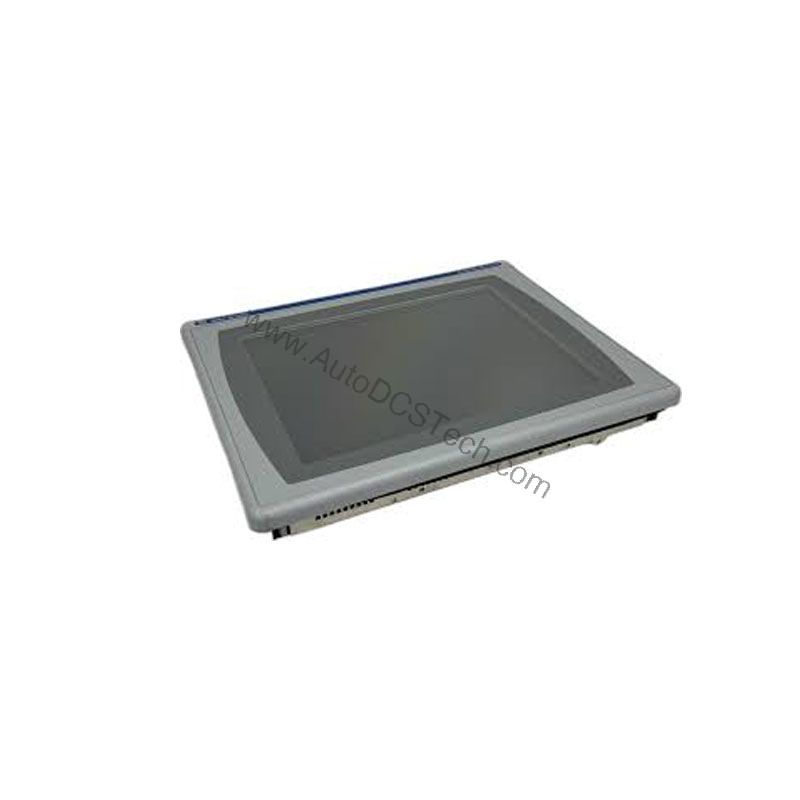
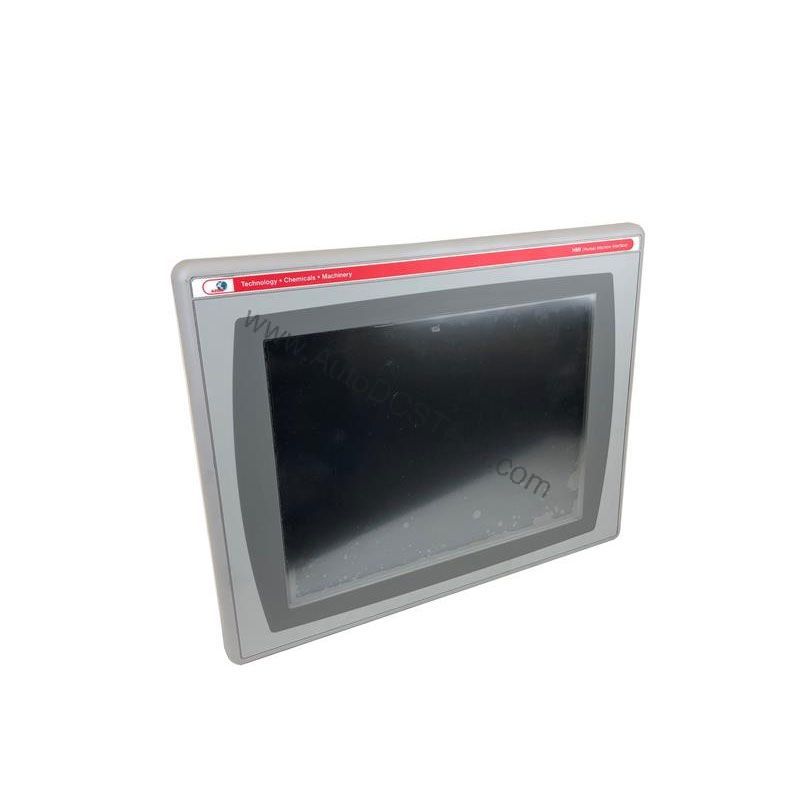
Industrial operators need a clear, responsive interface to monitor complex processes. The Allen-Bradley 2711P-T15C4A8 delivers that with its 15.0-inch color active-matrix TFT display. This PanelView Plus 6 graphic terminal provides a 1024 x 768 resolution with 18-bit color graphics. The large screen area of 304 x 228 mm (12.0 x 9.0 in.) allows designers to create detailed screens with multiple pop-ups and status indicators. The touch interface uses an 8-wire analog resistive system rated for 1 million presses. It requires an operating force of 10…110 g, making it responsive yet resistant to accidental touches.
This HMI is built for demanding environments. It operates on an input voltage range of 100…240V AC at 50…60 Hz. Power consumption is 160VA maximum and 65VA typical, which helps in planning enclosure cooling. The terminal memory includes 512 MB RAM and 512 MB nonvolatile memory, with approximately 79 MB free for user applications. This capacity supports complex screen libraries and data logging.
Real-World Applications for the PanelView Plus 6 Terminal
For example, in a bottling line, the HMI can display fill levels, conveyor speed, and machine status on one screen. The touch interface allows quick navigation between screens, reducing response time.
In a wastewater treatment plant, operators can use the 2711P-T15C4A8 to control pumps and valves. The Ethernet port enables connection to a PLC or SCADA system. The RS-232 port can link to legacy equipment. The two USB host ports allow data logging to a flash drive or connection of a barcode scanner.
The color display supports color-coded status indication. For instance, green for running, red for fault, and yellow for warning. This visual cue helps operators make faster, more accurate decisions, minimizing downtime.
Installation and Setup Guidance
When installing the 2711P-T15C4A8, ensure the power supply matches the input voltage range of 100…240V AC at 50…60 Hz. Use a dedicated circuit to avoid electrical noise. The terminal should be mounted in an enclosure that provides adequate ventilation. The device dissipates heat, so maintain clearance around the unit.
For communication, connect the Ethernet port to your network switch. Use the RS-232 port for point-to-point connections to controllers. The USB host ports can be used for firmware updates or data transfer. Always use shielded cables for RS-232 and Ethernet to prevent interference.
Before powering up, verify that the display and touch screen are free from debris. The touch screen is resistive, so it can be operated with a gloved hand. Calibrate the touch screen after installation using the built-in utility.
Maintenance and Reliability Tips
The 2711P-T15C4A8 is designed for long service life. However, regular inspection is recommended. Check the enclosure for dust accumulation, which can block airflow. Clean the touch screen with a soft, dry cloth. Avoid using solvents or abrasive cleaners.
The real-time clock uses a battery-backed system. The battery is field-replaceable and has a minimum life of 4 years at 25 °C. When the battery is low, the terminal may lose time settings. Replace the battery with cat. no. 2711P-RY2032 or equivalent CR2032 coin-cell lithium battery.
Inspect all communication cables periodically for wear or damage. Loose connections can cause intermittent faults. Tighten any loose connectors. Also, verify that the input power is stable and within the specified range.
Compatibility and Integration
The 2711P-T15C4A8 is part of the PanelView Plus 6 family. It supports Ethernet, RS-232, DH485, and USB host. This allows integration with various Allen-Bradley controllers and third-party devices. The terminal can communicate with PLCs over Ethernet/IP or DH485 networks. The RS-232 port is useful for connecting to older controllers or serial devices.
The two USB host ports support peripherals such as a mouse, keyboard, or storage devices. This flexibility makes the terminal adaptable to different application needs. The terminal is compatible with FactoryTalk View Studio software for application development.
Selection Guide and Purchasing Advice
When selecting an HMI, consider the screen size, resolution, and communication options. The 2711P-T15C4A8 offers a large 15-inch display, making it suitable for applications with complex graphics. The 1024 x 768 resolution ensures crisp text and images. The multiple communication ports provide flexibility for various control architectures.
At AutoDCSTech, we offer the Allen-Bradley 2711P-T15C4A8 as a reliable replacement or upgrade for your existing HMI. Our team can help you verify compatibility with your current system. Contact us to check availability and lifecycle status before ordering.
Troubleshooting Common Issues
If the display is blank, check the input power and fuses. Verify that the power supply is within the 100…240V AC range. If the touch screen is unresponsive, recalibrate it. Ensure no objects are pressing on the screen.
If communication fails, check the cable connections and network settings. Verify that the IP address is correct. If the terminal is not saving data, check the free memory. The nonvolatile memory has about 79 MB free. If the clock resets, replace the battery.
For persistent issues, consult the user manual or contact AutoDCSTech for technical support. Always follow safe electrical practices when troubleshooting.
Availability & Condition at AutoDCSTech
| Part Number | 2711P-T15C4A8 |
|---|---|
| Availability | In Stock |
| Condition | New |
| Warranty | One Year |
| Origin | US |