Technical Specifications Breakdown
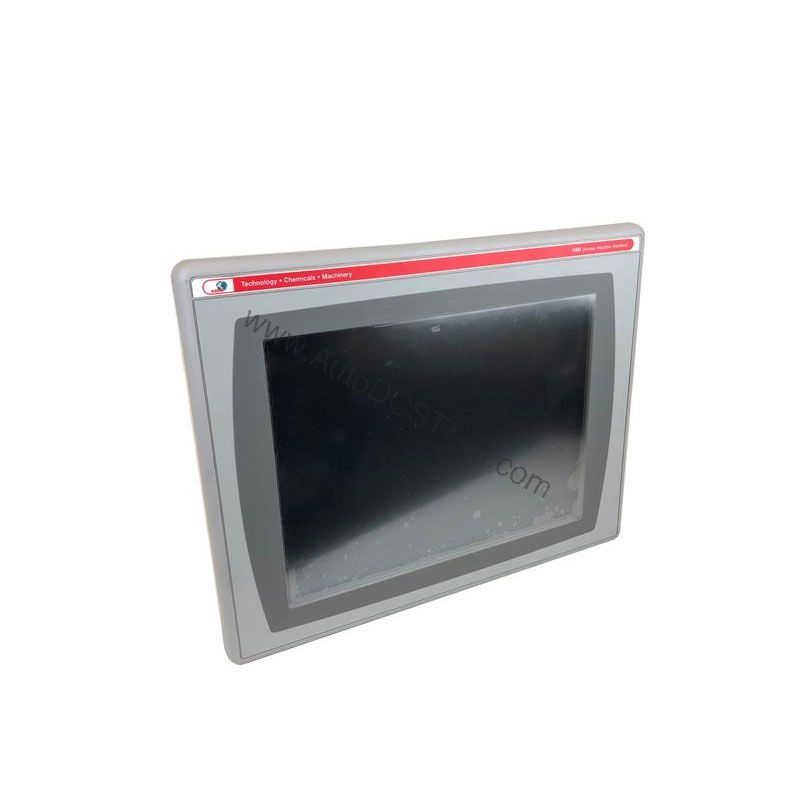
Key parameters for the 2711P-T6C3A are listed below for quick reference:
| Feature | Specification |
|---|---|
| Manufacturer | Rockwell Automation |
| Brand | Allen-Bradley |
| Part Number | 2711P-T6C3A |
| Series | PanelView Plus 600 |
| Module Type | Operator Interface Terminal |
| Input Type | Touchscreen |
| Power Supply | 120 Volts AC |
| Communication | RS-232, USB, Ethernet, DH-485 |
| Display | 5.7-inch Color |
| UPC | 10781180130684 |
The 2711P-T6C3A operates on an input voltage range of 85 to 264 Volts AC at 47 to 63 Hertz. It features a 5.7-inch color active matrix TFT touchscreen with an antiglare surface. The display resolution is 320 x 240 pixels, with display dimensions of 4.37 inches by 3.3 inches. The display surface is resistant to 110G of shock, ensuring durability in demanding environments. Luminance is rated at 300 cd/m², and the backlight is a cold cathode fluorescent type. The terminal includes an internal clock with ±2 minutes per month accuracy and a 5-year maximum battery backup time.
Memory capacity includes 64MB of internal user memory for application backup and 64MB of RAM for temporary program storage. The processing unit is a 350MHz NEC VR5532A MIP processor. Communication is handled through one USB 1.1 port, an RS-232 serial port, and a 10/100Mbps Ethernet port. The base RS-232 and Ethernet ports provide standard connectivity, while a compatible DH-485 communication module can be added for expanded networking.
The power supply requirement is 85-264V AC at 47-63Hz with a maximum power consumption of 60VA. An external Class II or SELV-isolated power source with an input voltage of 85-264V AC and a power output of 120VA is recommended. The operational temperature range is 0-55 °C (32-131 °F), and the relative humidity range is 5-95% without condensation. The unit weighs 930g and has dimensions of 167mm x 266mm x 98mm.
Industry Applications
In a packaging line, operators can use the touchscreen to start/stop conveyors, monitor sensor status, and adjust timing parameters. The 5.7-inch display provides clear visibility of machine status, while the Ethernet port allows remote monitoring and data collection. In a water treatment plant, the terminal can display pump status, flow rates, and alarm conditions. The RS-232 and DH-485 protocols enable integration with legacy PLCs, making it a versatile choice for retrofit projects.
Installation & Setup Guidance
Before installation, verify that the input voltage matches the 85-264V AC range and the frequency is within 47-63 Hz. Use a Class II or SELV-isolated power source with a 120VA output rating. Mount the terminal securely in a panel, ensuring adequate clearance for ventilation. Connect the Ethernet cable to your network switch, and use the USB port for programming or data transfer. For DH-485 communication, install a compatible module in the expansion slot. Always follow the manufacturer's guidelines for wiring and grounding to avoid electrical noise.
Maintenance & Reliability
The 2711P-T6C3A is built to withstand harsh conditions, with a shock-resistant display and a wide operating temperature range. To ensure long-term reliability, inspect the terminal periodically for dust accumulation on the screen and vents. Clean the touchscreen with a soft, dry cloth. Check the internal clock battery every few years; the 5-year maximum backup time indicates when replacement may be needed. Keep the ambient temperature within 0-55 °C and humidity below 95% to prevent condensation.
The Allen-Bradley 2711P-T6C3A: A Reliable Operator Interface for Machine Control
In modern industrial automation, operators need a clear, responsive window into machine status. The Allen-Bradley 2711P-T6C3A from the PanelView Plus 600 series delivers exactly that. Whether you are monitoring production lines or adjusting process parameters, this terminal provides the visual feedback and control you need to keep operations running smoothly.
Compatibility & Integration
The terminal supports multiple communication protocols, including RS-232, USB, Ethernet, and DH-485. The Ethernet port enables seamless integration into modern plant networks, allowing data exchange with PLCs and SCADA systems. The RS-232 port is suitable for connecting to older devices, while the USB port simplifies file transfer and peripheral connections. For DH-485 networks, use the appropriate module to expand communication capabilities. This flexibility makes the 2711P-T6C3A a valuable component in both legacy and modern automation architectures.
Selection Guide & Purchasing Advice
The 2711P-T6C3A is discontinued and obsolete. If you are looking for a replacement or need a spare for an existing system, contact AutoDCSTech. Our team can help you find a compatible unit or suggest an upgrade path. We specialize in industrial automation parts and offer fast, reliable service. Please verify current lifecycle status and availability with AutoDCSTech before ordering.
Troubleshooting & Common Issues
If the display does not power on, check the input voltage and ensure it is within the 85-264V AC range. Verify that the power source meets the 120VA output requirement. If the touchscreen is unresponsive, recalibrate it through the configuration menu. For communication issues, confirm that the Ethernet cable is properly connected and that the IP address is configured correctly. If the RS-232 port is not working, check the baud rate settings. For DH-485 issues, ensure the module is seated correctly. If problems persist, consult the user manual or contact AutoDCSTech for technical support.
Availability & Condition at AutoDCSTech
| Part Number | 2711P-T6C3A |
|---|---|
| Availability | In Stock |
| Condition | New |
| Warranty | One Year |
| Origin | US |