Technical Specifications Breakdown
Key parameters for the 2711P-T6M20A are listed below for quick reference:
| Feature | Specification |
|---|---|
| Manufacturer | Rockwell Automation |
| Brand | Allen-Bradley |
| Product Family | PanelView Plus Terminals |
| Product Type | Operator Terminals |
| Part Number | 2711P-T6M20A |
| Input Type | Touch |
| Display Type | Grayscale passive matrix, film compensated super-twist nematic (FSTN) |
| Display Area | 112 x 84 mm (4.4 x 3.3 in.) |
| Resolution | 320 x 240 pixels |
| Application Memory | 5 MB for series A; 10 MB for Series B |
| Communication Ports | Ethernet; RS232; USB |
| Input Voltage Range | 85-264 VAC, 47-63 Hz |
Why the 2711P-T6M20A Remains a Reliable Choice for HMI Applications
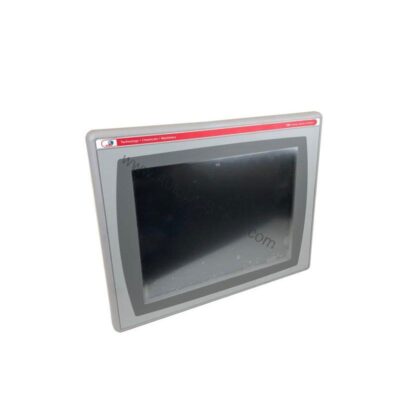
For plant operators and automation engineers, a dependable Human Machine Interface (HMI) is the window into real-time process control. The Allen-Bradley 2711P-T6M20A, part of the PanelView Plus 600 series, delivers that visibility with a compact, touch-enabled interface. Even though this model is discontinued, its proven performance keeps it in demand for replacement and upgrade projects across industries like food and beverage, automotive, and material handling.
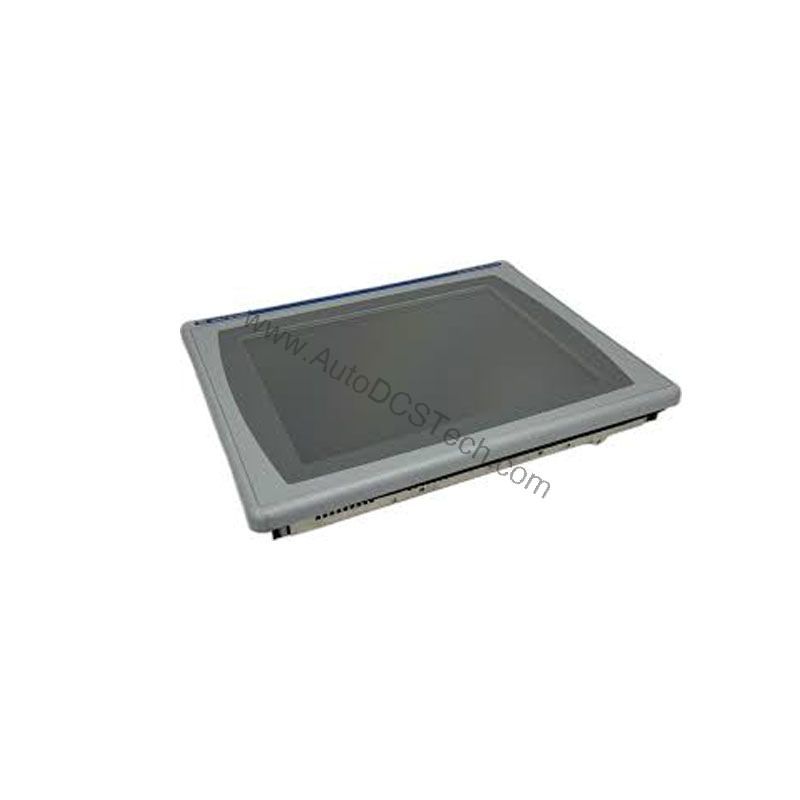
This operator terminal combines a 5.5-inch grayscale display with a responsive touchscreen, making it easy to monitor alarms, adjust setpoints, and navigate machine status screens.
Installation and Setup Guidance
When mounting the 2711P-T6M20A, ensure the enclosure provides adequate protection. The device is designed for indoor use in NEMA Type 12, 13, 4X (indoor only), IP54, and IP65 rated enclosures. This protects against dust, oil, and water splashes—common in industrial settings.
For reliable operation, install the terminal in an environment with a temperature range of 0 to 55 °C (32 to 131 °F). Avoid mounting near heat sources or in direct sunlight. Vibration and shock limits are specified as 10 to 57 Hz at 0.012 pk-pk displacement and 57 to 500 Hz at 2 g peak acceleration, with a maximum shock of 15 g at 11 ms. Use proper mounting hardware to secure the terminal firmly.
Connect the AC power supply within the rated input voltage range of 85-264 VAC, 47-63 Hz. Verify the supply voltage matches your facility's line voltage before energizing. For communication, use shielded Ethernet cables and proper RS-232 cabling to minimize interference.
Maintenance and Reliability Tips
Although the 2711P-T6M20A is a robust unit, periodic inspection is recommended. Check the touchscreen for cracks or unresponsive areas. Clean the display with a soft, dry cloth—avoid solvents that may damage the FSTN layer.
The battery-backed clock keeps time accurate to ±2 minutes per month. The coin-cell lithium battery is field-replaceable and should be replaced when the clock starts losing time or when the low-battery indicator appears. Always power down the terminal before replacing the battery.
Inspect the enclosure seals and gaskets regularly to maintain the IP rating. Ensure that ventilation openings are not blocked, especially in warm environments.
Built for Real-World Industrial Environments
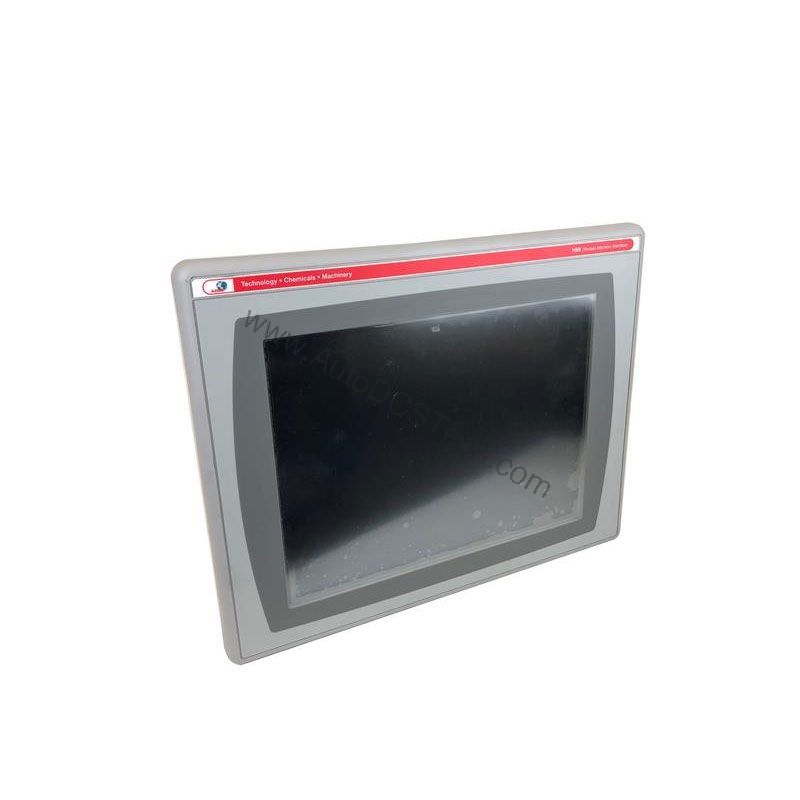
The 2711P-T6M20A is engineered for flush mounting on enclosure doors or flat console surfaces, giving operators easy access to controls and a clear view of runtime data. Its grayscale FSTN display offers good readability in typical factory lighting, and the touchscreen interface supports intuitive interaction—even with gloved hands.
This terminal supports a range of communication protocols including TCP/IP and DF1 over its Ethernet and RS-232 ports. The USB port allows connection of peripherals such as a mouse, printer, keyboard, or removable flash drives for data logging and firmware updates. This flexibility makes it suitable for both point-to-point and networked applications.
- Machine Control Panels: In packaging or assembly lines, the terminal provides operators with real-time status of sensors, actuators, and production counts. The touchscreen simplifies navigation through multiple screens, reducing training time.
- Process Monitoring: For applications like water treatment or chemical dosing, the 2711P-T6M20A displays process values and alarms clearly. The battery-backed real-time clock ensures accurate timestamping of events, which is critical for troubleshooting and quality records.
- Retrofit and Replacement: Many plants still rely on older PanelView platforms. Upgrading to this PanelView Plus terminal allows you to reuse existing wiring and enclosures while gaining modern communication capabilities.
Compatibility and Integration
The 2711P-T6M20A is designed to work within the Rockwell Automation ecosystem. It supports Ethernet and RS-232 communication, allowing connection to controllers such as ControlLogix, CompactLogix, and SLC 500 series. The built-in USB port simplifies file transfer and peripheral connectivity.
For programming, use FactoryTalk View Studio software to create or modify applications. The terminal supports both series A and B firmware, with application memory of 5 MB or 10 MB respectively. When replacing an older unit, verify the firmware version and application compatibility.
Purchasing Considerations and AutoDCSTech Advantage
Because the 2711P-T6M20A is discontinued, sourcing a reliable replacement can be challenging. AutoDCSTech specializes in supplying new, used, and refurbished industrial automation parts. We stock this model and can help you find the right unit for your application.
Before ordering, confirm your specific requirements: series (A or B), communication needs, and power supply. Our team can assist with technical questions and ensure you receive a functional, tested product. Contact AutoDCSTech to check availability and lead times.
Please verify current lifecycle status and availability with AutoDCSTech before ordering.
Availability & Condition at AutoDCSTech
| Part Number | 2711P-T6M20A |
|---|---|
| Availability | In Stock |
| Condition | New |
| Warranty | One Year |
| Origin | US |