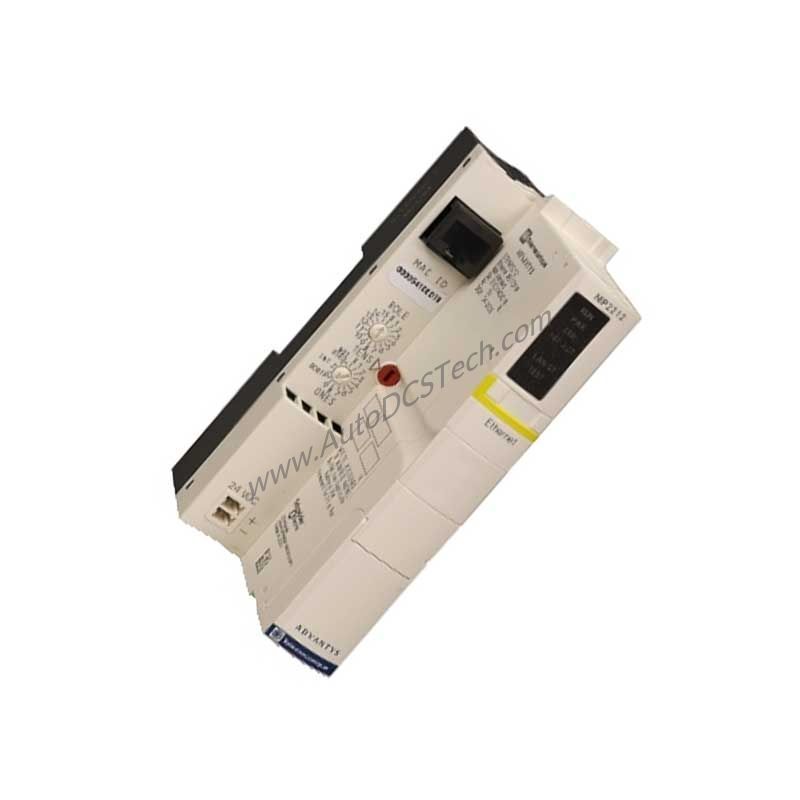
Product Overview
The Schneider Electric STBNIP2212 Standard Network Interface Module addresses this demand by providing a dedicated gateway for Modbus TCP/IP communications within the Modicon STB distributed I/O solution. Designed for indoor use, this module operates at an input voltage of 24 V DC and draws a current of 100 mA, ensuring low power consumption while maintaining robust connectivity.
Technical Specifications Breakdown
The STBNIP2212 offers several key specifications that define its performance and application suitability:
- Interface: Modbus TCP/IP – This protocol enables seamless integration with existing Ethernet-based control systems, supporting both SNMP agent and embedded web services for configuration and diagnostics.
- Input Voltage: 24 V DC – The module accepts a standard SELV power supply, simplifying installation in typical industrial control cabinets.
- Current Consumption: 100 mA – Low power draw reduces overall system energy requirements and heat generation.
- Communication Ports: 2 x RJ45 – Dual Ethernet ports allow for daisy-chaining or redundant network connections, enhancing network topology flexibility.
- Enclosure Rating: IP20 – Provides protection against solid objects larger than 12 mm, suitable for clean indoor environments.
- Temperature Range: 0 °C to 60 °C (without derating) – Ensures reliable operation in controlled indoor settings, with extended range from -25 °C to 70 °C when derated.
Industry Applications
For example, in a packaging line, the module connects remote I/O blocks to a central PLC, enabling real-time monitoring of sensors and actuators. Its compact dimensions (128.3 mm x 40.5 mm x 70 mm) allow installation in space-constrained cabinets, while the IP20 rating suits clean production areas.
Installation & Setup Guidance
Mount the STBNIP2212 on a standard 35 mm DIN rail within an indoor enclosure. Ensure the ambient temperature stays within 0 °C to 60 °C for optimal performance. Connect the 24 V DC power supply to the bus power terminals, and link the two RJ45 ports to the Ethernet network using standard Cat5e or better cables. The module receives power from the bus, so verify that the bus power supply meets the 100 mA current requirement. LED indicators for Status, Error, and Power provide immediate visual feedback during commissioning.
Maintenance & Reliability
Routine inspection of the STBNIP2212 involves checking the LED indicators for normal operation (steady green for power and status) and verifying that the RJ45 connections are secure. The module's IP20 rating means it should be kept free from dust and moisture; periodic cleaning of the enclosure with a dry cloth is sufficient. With a wide storage temperature range of -40 °C to 85 °C, the module withstands seasonal variations when not in use. Compliance with CE, UL, CSA, and ATEX Cat 3G certifications underscores its reliability in diverse industrial environments.
Compatibility & Integration
It also supports BootP/DHCP protocols for automatic IP address assignment. This module works with Schneider Electric PLCs and any third-party controller that supports Modbus TCP/IP, making it a versatile choice for multi-vendor systems.
Selection Guide & Purchasing Advice
Before purchasing the STBNIP2212, verify that your control system uses Modbus TCP/IP and that the bus power supply can deliver 24 V DC at 100 mA. Confirm the environmental conditions match the IP20 rating and temperature range. For replacement or new installations, AutoDCSTech offers this module with fast shipping and expert support to ensure a smooth integration into your automation network.
Troubleshooting & Common Issues
If the module does not power up, check the bus power supply voltage and connections. If the Error LED is lit, verify that the Ethernet cables are properly terminated and that the network switch or PLC is operational. For communication issues, confirm that the IP address is correctly assigned via BootP/DHCP or static configuration. The embedded web interface provides detailed diagnostics to isolate faults quickly.
Availability & Condition at AutoDCSTech
| Part Number | STBNIP2212 |
|---|---|
| Availability | In Stock |
| Condition | New |
| Warranty | One Year |
| Origin | France |