Technical Specifications Breakdown
Key parameters for the 2711P-B15C4D9 are listed below for quick reference:
| Feature | Specification |
|---|---|
| Manufacturer | Rockwell Automation |
| Product Family | PanelView Plus 6 Operator Terminal |
| Product Type | PanelView Plus 6 1500 Standard Terminals |
| Operator Input | Keypad / Touch |
| Display Type | Color active matrix, thin-film transistor (TFT) with liquid crystal display (LCD) |
| Display Area | 304 x 228 mm (12.0 x 9.0 in.) |
| Resolution | 1024 x 768, 18-bit color graphics |
| Keypad | 1 million presses |
| Touch | Analog Resistive |
| Internal Memory | 512MB Flash Memory / 512 MB Random Access Memory |
| Integrated Ports | Ethernet, RS-232, 2 USB host |
| Input Voltage Range | 18-32VDC |
| Lifecycle Status | End of life |
Industry Applications
This HMI suits applications where operators need to monitor and adjust processes in real time. For example, in a packaging line, the 15-inch screen displays machine status and alarms, while the keypad allows quick navigation through menus even with gloved hands. In a water treatment facility, the analog resistive touchscreen provides reliable input despite moisture or dust, and the Ethernet port enables seamless communication with PLCs over EtherNet/IP. The dual input options (keypad and touch) serve as a form of redundancy, ensuring operators can still interact with the system if one input method fails.
Installation & Setup Guidance
Before mounting, verify that the input voltage is within the 18-32VDC range. Use a properly sized power supply to avoid voltage drops that could cause unexpected resets. The terminal should be panel-mounted with adequate clearance for ventilation and cable routing. Connect the Ethernet cable to the RJ45 port; the port supports MDI/MDI-X, so a crossover cable is not required. For RS-232 communication, use the appropriate serial cable. The two USB host ports allow connection of peripherals like a mouse or keyboard for configuration. Always follow the manufacturer's installation manual for detailed wiring and grounding instructions.
Maintenance & Reliability
The backlight has a rated life of 50,000 hours minimum, which is a key factor in long-term reliability. To maximize lifespan, keep the display away from direct sunlight and high ambient temperatures. Periodically inspect the unit for dust accumulation on the vents and clean the touchscreen with a soft, non-abrasive cloth. Because this is an end-of-life product, consider stocking a spare unit to avoid downtime. Regular backups of the application file are essential to facilitate quick replacement.
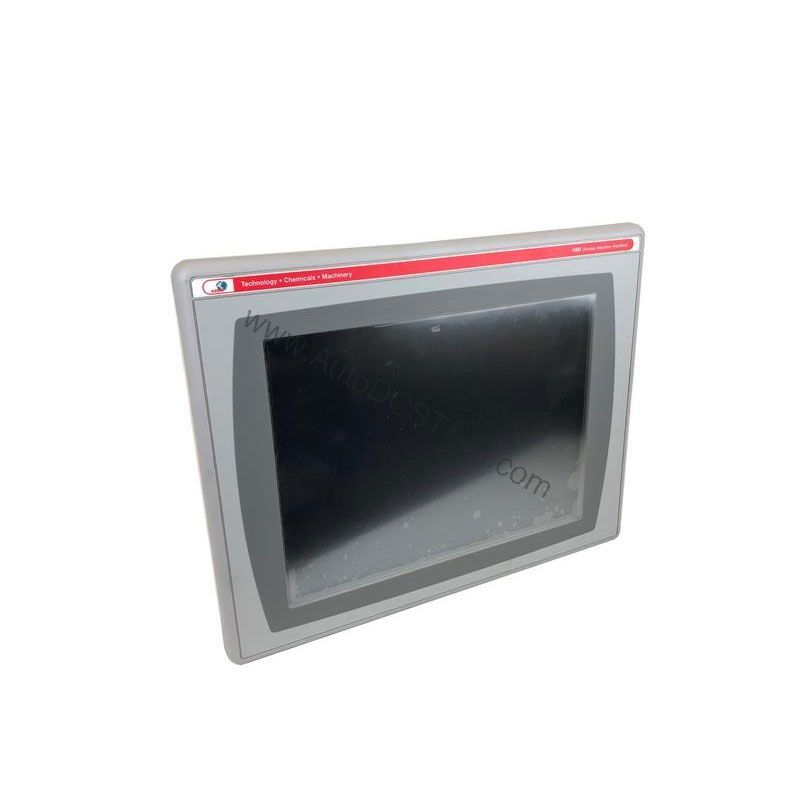
Allen-Bradley 2711P-B15C4D9 PanelView Plus 6 1500 Operator Terminal
This PanelView Plus 6 1500 Standard Terminal from Rockwell Automation combines a 15.0-inch color display with both keypad and touchscreen input, giving operators flexible control in demanding industrial environments. As an end-of-life product, securing a genuine unit requires a trusted supplier; AutoDCSTech specializes in sourcing these legacy components.
Compatibility & Integration
The 2711P-B15C4D9 integrates into an EtherNet/IP network, supporting real-time I/O messaging and standard message exchange. The Ethernet port allows connection to controllers and supports application transfers and printing. For applications requiring an additional Ethernet port, the 2711P-RN20 communication module is available for 700 to 1500 terminals; this module has its own unique IP address. The RS-232 port provides a serial connection for legacy devices. The two USB host ports expand connectivity options for data logging or peripheral devices.
Selection Guide & Purchasing Advice
When selecting a replacement or spare, confirm the exact part number 2711P-B15C4D9 and verify the series (Series A or Series B) to ensure compatibility with your application. Since this model is end-of-life, availability can be limited. AutoDCSTech offers a reliable source for genuine Allen-Bradley parts, including this HMI. Contact AutoDCSTech to check current stock and lifecycle status before ordering. Their team can also advise on alternative PanelView Plus 6 models if a direct replacement is not available.
Troubleshooting & Common Issues
If the display remains blank, check the input voltage at the terminal to ensure it is within 18-32VDC. A common issue is a blown fuse or a faulty power supply. If the touchscreen is unresponsive, recalibrate it via the configuration menu. For communication problems, verify the IP address settings and ensure the Ethernet cable is securely connected. If the keypad fails to respond, check for debris or damage. For persistent issues, consult the Rockwell Automation technical support documentation. Always power down the unit before performing any maintenance.
Availability & Condition at AutoDCSTech
| Part Number | 2711P-B15C4D9 |
|---|---|
| Availability | In Stock |
| Condition | New |
| Warranty | One Year |
| Origin | US |