Technical Specifications Breakdown
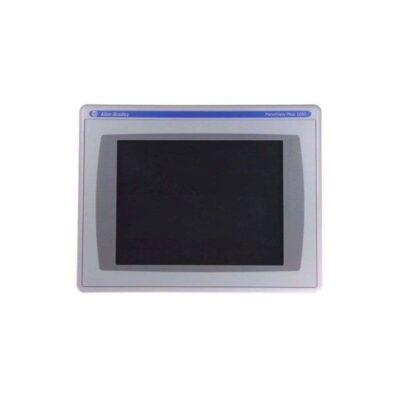
Key parameters for the 2711P-T7C4D6 are listed below for quick reference:
| Feature | Specification |
|---|---|
| Manufacturer | Rockwell Automation |
| Brand | Allen-Bradley |
| Part Number | 2711P-T7C4D6 |
| Product Line | PanelView Plus 700 |
| Display Size | 6.5 in. |
| Display Color | Color |
| Input Type | Touchscreen |
| Communication | Ethernet and RS-232 |
| Input Power | 18-32 VDC |
| Memory | 128 MB |
| Backlight | 2711P-RL7C2 |
| Communication Cable | 1761-NET-ENI |
| Shipping Weight | 8 lbs. |
| Shipping Dimensions | 14 x 11 x 8 in |
| Series | A, B, C, D, E, F, G |
| UPC | 10612598349682 |
| Product Lifecycle Status | Discontinued/Obsolete |
Industry Applications and Cost Benefits
In a packaging line, for example, the touchscreen allows quick recipe changes and alarm acknowledgment, reducing downtime. In a material handling system, the color display helps operators spot issues faster, improving efficiency. By choosing this HMI for legacy equipment, you avoid the high cost of replacing entire control panels. Its 18-32 VDC input power is common in industrial settings, so integrating it into existing power systems is straightforward, saving on installation expenses.
Installation and Setup Guidance
When installing the 2711P-T7C4D6, ensure the DC power supply is within the 18-32 VDC range. Use the Ethernet port for network communication and the RS-232 port for serial connections. The touchscreen can be activated by hand or with a stylus that is not too heavy or sharp. For mounting, follow the panel cutout dimensions provided in the manual. Always verify the firmware version matches your application requirements before deployment.
Maintenance and Reliability
Regularly inspect the touchscreen for cracks or unresponsive areas. Clean the screen with a soft, dry cloth to avoid scratching. Check the backlight (part 2711P-RL7C2) periodically; if the display dims, replacement is straightforward. Because this model is discontinued, keeping a spare unit or backlight on hand is a wise cost-saving measure to prevent extended downtime.
The Allen-Bradley 2711P-T7C4D6: A Cost-Effective Touchscreen HMI for Legacy Systems
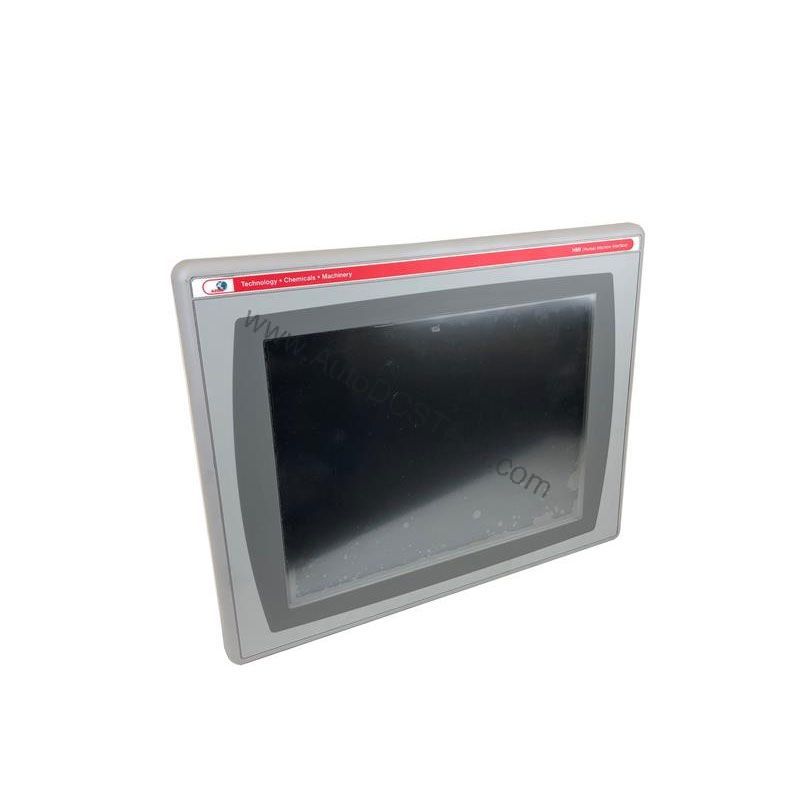
This 6.5-inch color touchscreen terminal lets operators interact with machinery directly, eliminating the need for physical keys. Its compact design and proven performance make it a valuable asset for upgrading or maintaining existing automation systems without a full overhaul.
Compatibility and Integration
The 2711P-T7C4D6 supports EtherNet/IP, an open industrial network that enables real-time I/O messaging and message exchange. The Ethernet port connects to a controller on an EtherNet/IP network using standard Ethernet connections. This port also supports application transfers and printing. For additional Ethernet ports, the 2711P-RN20 module is available for terminals 700 to 1500, each with its own IP address. The port uses an RJ45, 10/100Base-T connector and supports MDI/MDI-X connections.
Selection Guide and Purchasing Advice
Although the Allen-Bradley 2711P-T7C4D6 is discontinued, AutoDCSTech offers a reliable source for this HMI and its spare parts. Before ordering, verify the current lifecycle status and availability with AutoDCSTech. Consider purchasing a backlight and communication cable (1761-NET-ENI) to ensure long-term operability. This proactive approach minimizes future procurement risks and keeps your line running.
Troubleshooting and Common Issues
If the touchscreen does not respond, check the power supply voltage and connections. If the display is blank, inspect the backlight. For communication issues, verify the Ethernet cable and IP settings. Always refer to the user manual for detailed diagnostics. If problems persist, contact AutoDCSTech for technical support and replacement options.
Availability & Condition at AutoDCSTech
| Part Number | 2711P-T7C4D6 |
|---|---|
| Availability | In Stock |
| Condition | New |
| Warranty | One Year |
| Origin | US |